

Administration
Alomana has three admin levels; each one manages a wider circle of people than the one before.
| Level | Who | Controls | Where |
|---|---|---|---|
| Workspace admin | Anyone whose workspace role has Manage Workspace Settings. The built-in Admin role has it. | One workspace: its name and home page, members and invites, roles, default agent and landing suggestions, models, ontology, API keys, magic links and integrations. | Settings > Workspace · "name" |
| Organization admin | An Admin of the organization. | Every workspace of one organization: members, their roles and plans, where each role lands, the workspace limit per role, workspace role defaults and custom roles, blocked models and billing. | Settings > Organization · "name" |
| Deployment admin (client admin) | People your Alomana administrator adds to the client-admin group of your deployment. | A read-only view of the deployment's users and its usage in credits. | Admin > Users and Usage, found through search |
Open Settings from the menu under your name at the bottom of the sidebar. The settings sidebar lists only the groups you can manage.
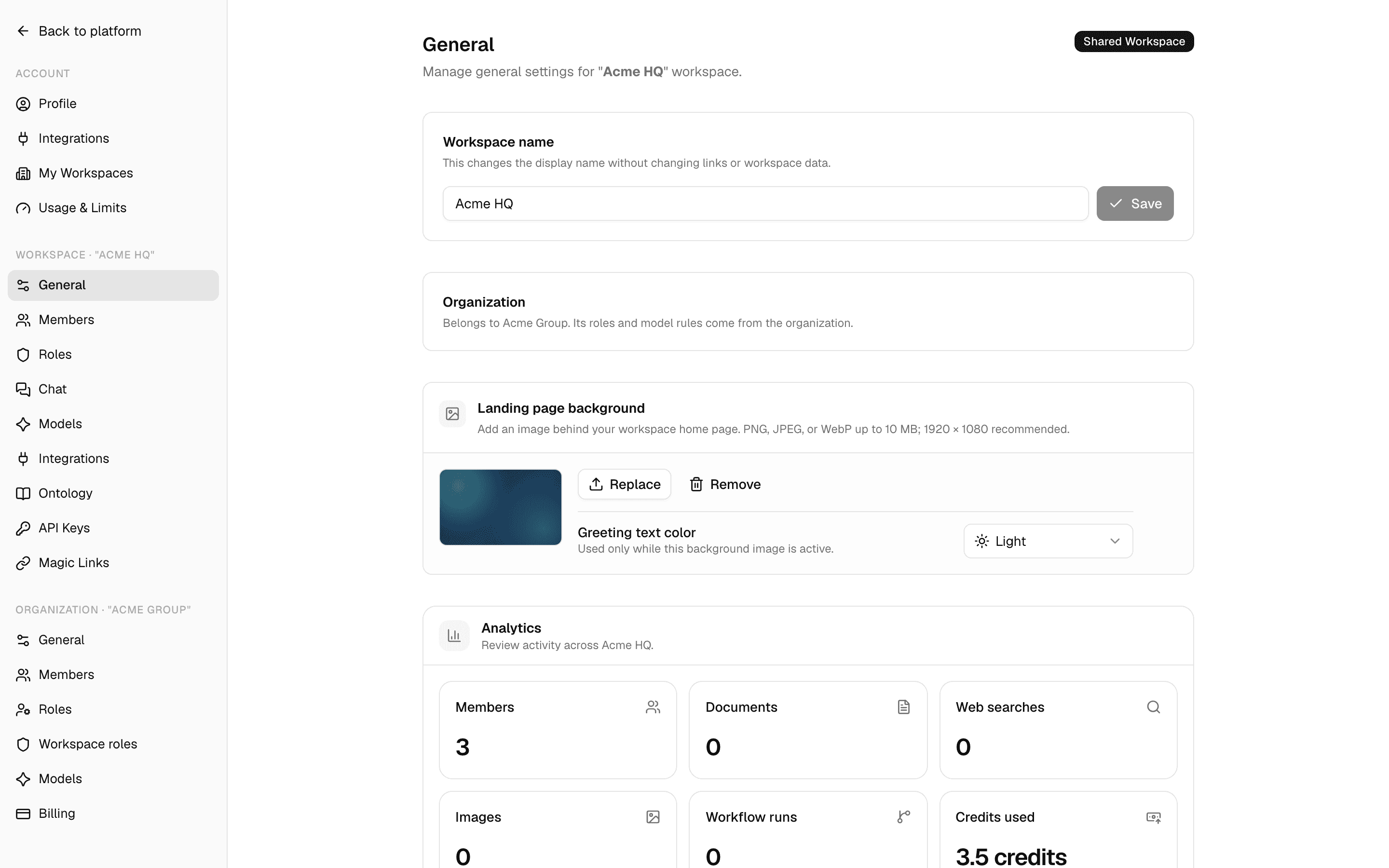
Workspace admins
- A workspace admin manages only the workspace selected in the sidebar. Switch workspace to manage another one.
- Workspace admins do not see other people's chats.
- Integrations such as Slack can be installed by every member with the default roles; an admin can take that permission away in Roles. See Integrations.
| Page | What you set |
|---|---|
| General | Name, home page background, analytics, deleting the workspace |
| Members | Who is in the workspace and with which role |
| Roles | What each role can do |
| Chat | Default agent and landing suggestions |
| Models | Which models people can use |
| Ontology | Mission and goals agents can be given |
| API Keys | Keys for programs that call Alomana |
| Magic Links | Public chat links to one agent |
Organization admins
An organization groups people and the workspaces created inside it. Each person has at most one home organization, which pays for them, and can be an external member of others.
- A workspace belongs to an organization when someone creates it there, when its creator brings it in on joining, or when your Alomana administrator moves it in.
- The organization's workspace roles and model blocks apply only in those workspaces, to everyone in them, external members included.
- Joining an organization moves no workspace and removes nobody from one. It does not add people to the organization's workspaces.
| Page | What you set |
|---|---|
| General | Name, business address, where people land, deleting the organization |
| Members | Members, their roles and plans, and invites |
| Roles | Organization roles, the role new members join with, and workspace limits |
| Workspace roles | Role defaults and custom roles for every organization workspace |
| Models | Models blocked in every organization workspace |
| Billing | The organization's plan and seats |
Deployment admins
A deployment admin, shown in the app as a client admin, oversees the people on your company's Alomana deployment without managing their workspaces.
| Page | What you see |
|---|---|
| Users | Accounts that share a group with you, and whether each is enabled |
| Usage | Credits, documents and web searches across the deployment |
To manage workspaces, members and roles with an API key, see Workspaces and access in the API documentation.
FAQ and troubleshooting
Quick fixes for common problems, from connectors that ask you to sign in again and used-up credits to invites that never arrived, and how to send feedback.
Manage workspace settings
Rename a workspace, set the background and greeting color of its home page, read its analytics, or delete it.