

Set the default agent and landing suggestions
The Chat page sets which agent a new chat starts with and which suggestions the workspace's home page offers.
You need a role with Manage Workspace Settings, such as Admin. Open Settings > Chat under Workspace · "name".
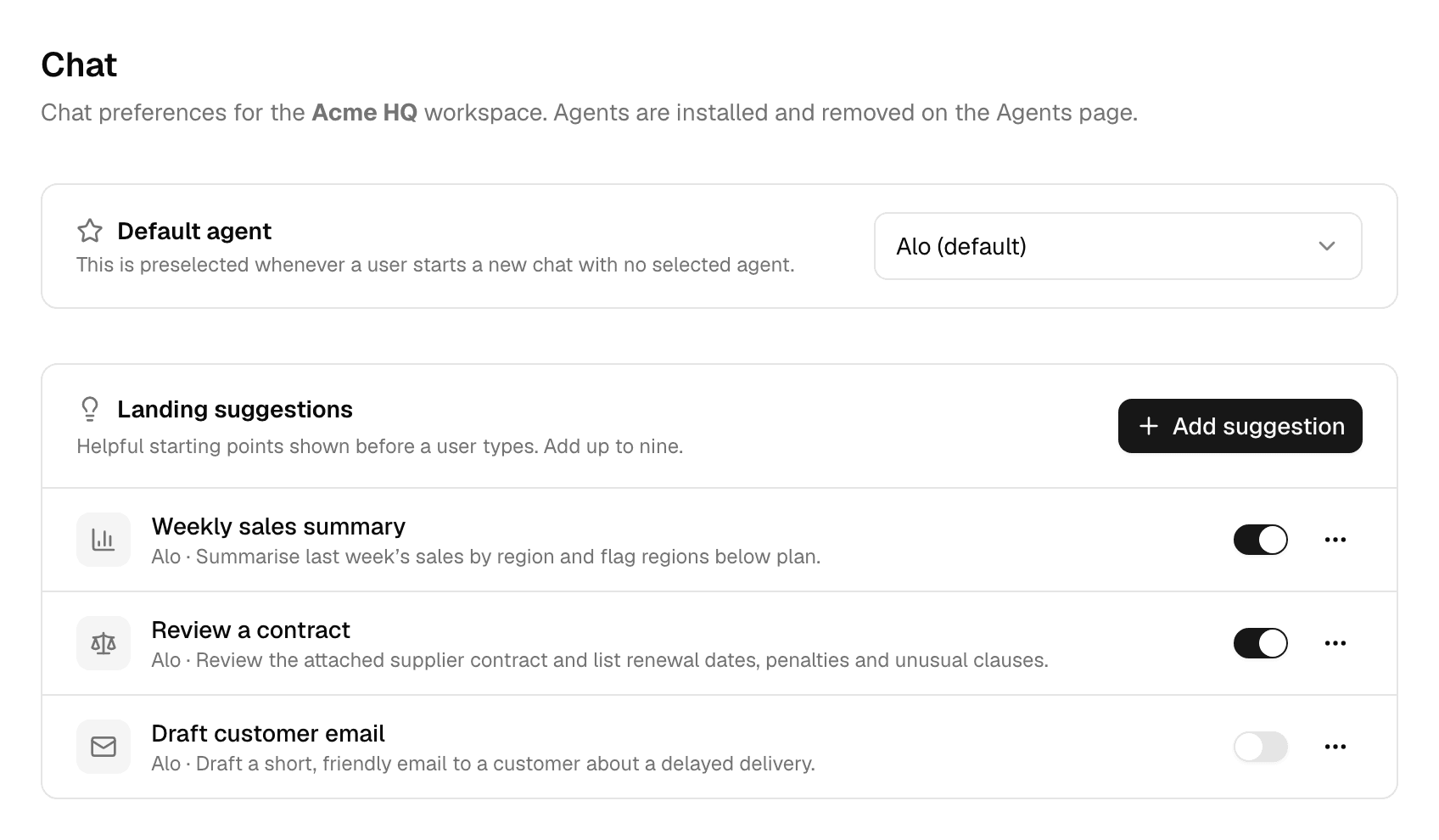
Choose the default agent
Under Default agent, pick an agent. It is preselected whenever someone starts a new chat without choosing an agent.
- The list holds Alo (default), the workspace's own agents and the agents installed in it. Agents are installed on the Agents page; see Agents.
- The list also shows agents that were never published. Until the chosen agent is published, new chats start with Alo instead. See Test and publish an agent.
- While an agent is the default, it cannot be removed from the workspace.
Add a landing suggestion
A workspace starts with the deployment's suggestions, marked Using platform defaults. Your first suggestion replaces them for this workspace.
-
Select Add suggestion, or Create workspace suggestions while the workspace uses the platform defaults.
-
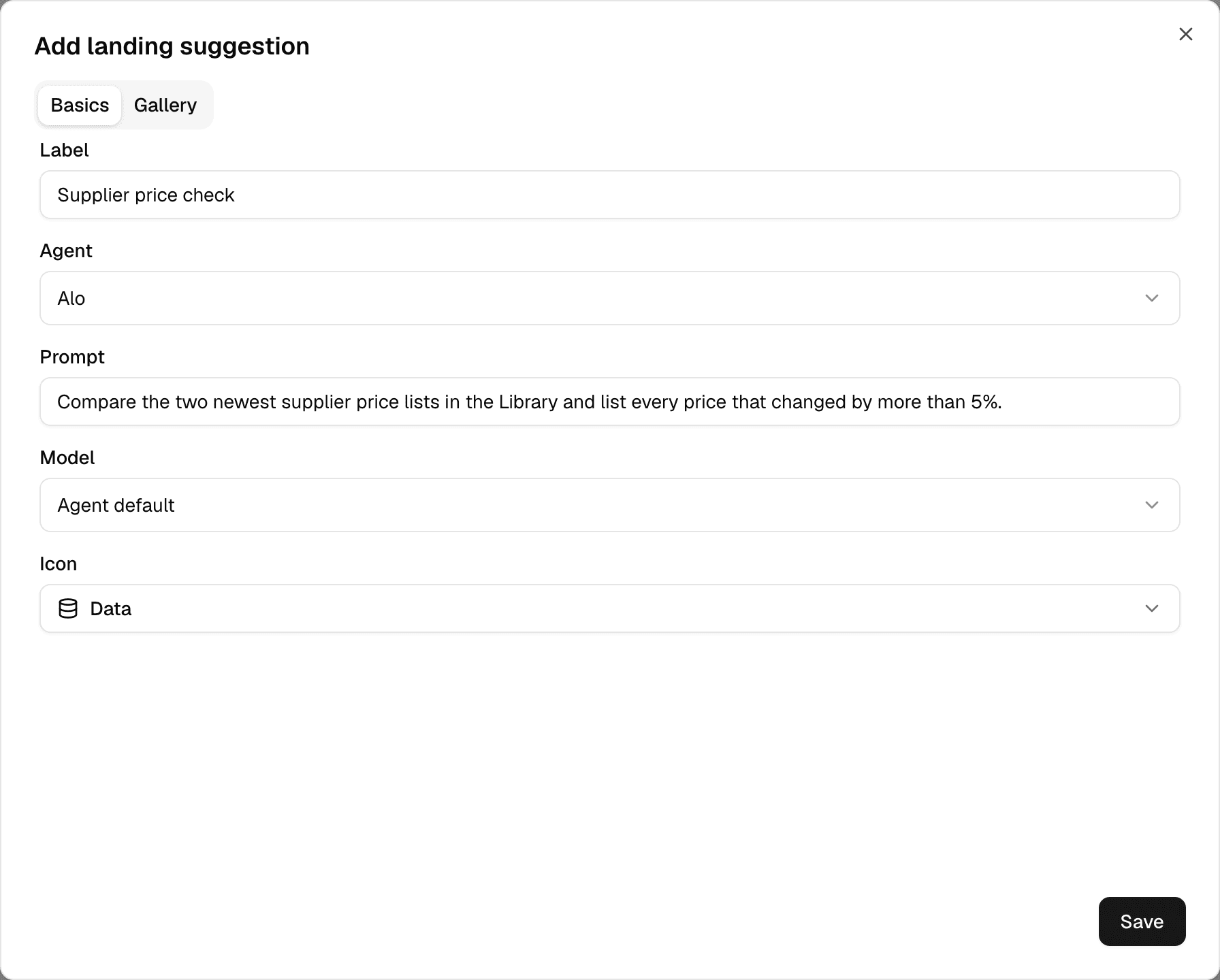
Fill in Basics.
-
Optionally, open Gallery to add example cards.
-
Select Save.
| Field | What to enter |
|---|---|
| Label | The text on the suggestion, up to three words. |
| Agent | The agent that runs it. |
| Prompt | The message it puts in the message box. |
| Model | Agent default, or one model for this suggestion. |
| Icon | One of the built-in icons. |
Without a gallery, selecting the suggestion fills the message box with its prompt. With one, it opens a gallery of example cards to pick from.
| Gallery item | Limit |
|---|---|
| Categories per suggestion | 8 |
| Examples per category | 12 |
| Example title | 80 characters, shown under the card |
| Example image | PNG, JPEG or WebP up to 10 MB, as a Portrait or Landscape card |
Each example has its own prompt, and can use another agent or model than the suggestion.
Manage suggestions
| To | Do this |
|---|---|
| Hide a suggestion without deleting it | Turn off its switch. |
| Change it | Select its label, or ⋯ > Edit. |
| Delete it | ⋯ > Delete. |
- A workspace shows at most nine suggestions.
- Delete every suggestion to go back to the platform defaults.
- An agent used by an active suggestion cannot be removed from the workspace.
- A suggestion whose agent was never published does not show on the home page until the agent is published.
- If a suggestion's model is no longer available in the workspace, it runs on the agent's default model.
To set the default agent and suggestions with an API key, see Manage workspaces in the API documentation.
Set roles and permissions
Change what the Member, Editor, Admin and custom roles can do in a workspace, see which cells you changed, and reset them to the defaults.
Choose the workspace's models
Turn models on or off for one workspace, and see what happens to chats and agents that used a model you turned off.