

Agents
An agent is an assistant with its own instructions, model, tools, skills, knowledge and connectors, ready to chat in the workspace.
Open Agents in the sidebar. Every agent in the workspace shows as a card, newest first.
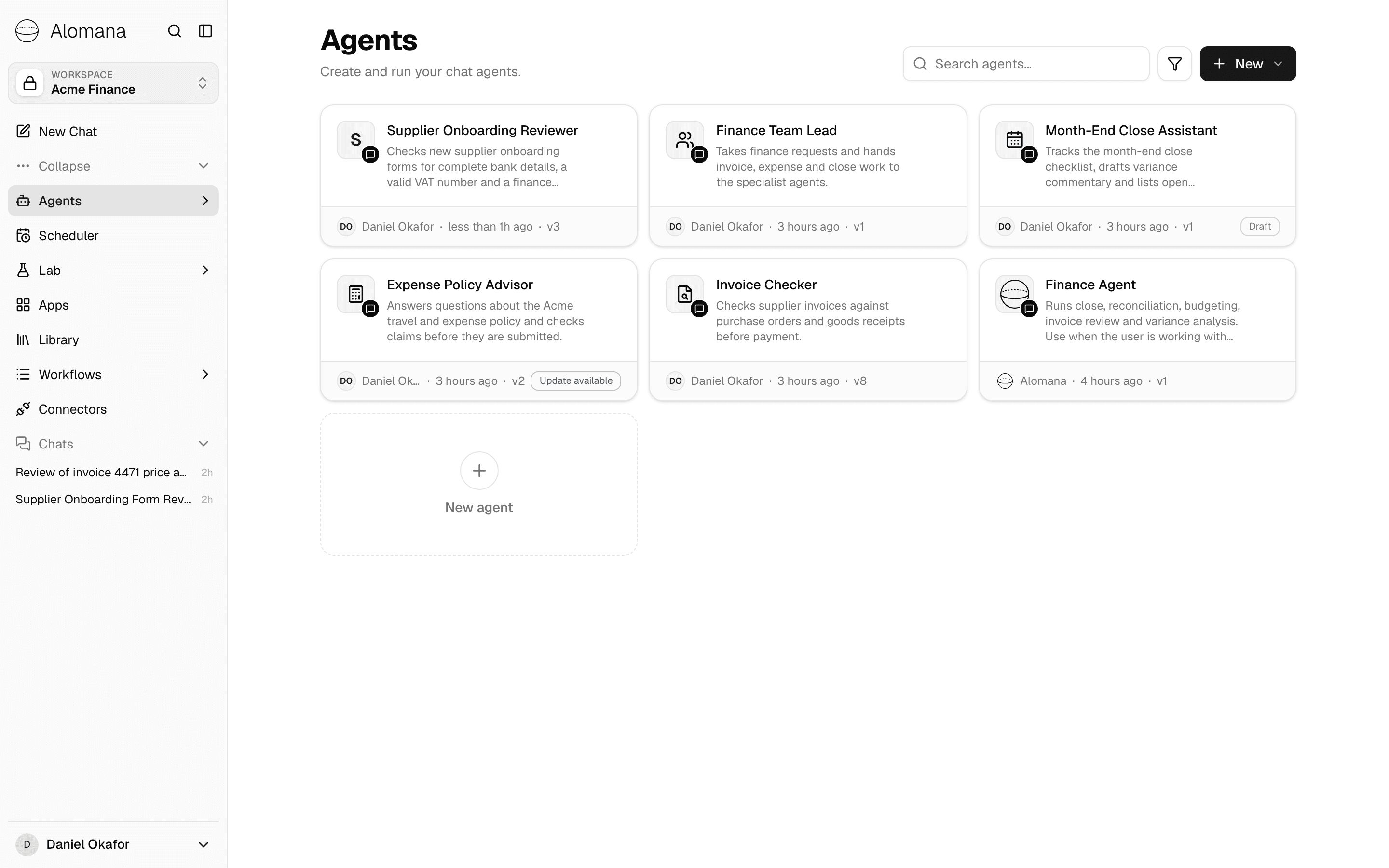
What the page lists
| Agents | Where they come from | Who can change them |
|---|---|---|
| Your workspace's agents | Created in this workspace by any member, in the editor, with Agent Builder, from the catalog or from a ZIP. | Anyone in the workspace who can edit agents. |
| Built-in agents | Made by Alomana and added to this workspace from the catalog. The card shows Alomana as the owner. | Nobody in the workspace. Use Duplicate & edit to get a copy you can change. |
Alo, Agent Builder and App Builder are in every workspace and cannot be removed, so they are not listed here. Pick them in the composer like any other agent.
Agents belong to the workspace, not to one person: every member sees them. To share an agent with another workspace, see Share and copy agents.
Read a card
| On the card | Meaning |
|---|---|
| Owner and age | Who created the agent and when. |
| v3 | The published version people use. Hover for its date. |
| Draft | The agent has changes that are not published yet, or has never been published. Chats use the published version. |
| Update available | A skill or prompt template the agent uses has changed; publish the agent to use the change. |
| Connector logos | The connectors the agent can reach. |
Changes reach people only when the agent is published. See Test and publish an agent.
Find an agent
- Type in Search agents… to match names and descriptions.
- Select the filter button to narrow by Owner or Tags. Owner appears once agents have more than one owner; Tags lists the tags set on the agents.

Open and run an agent
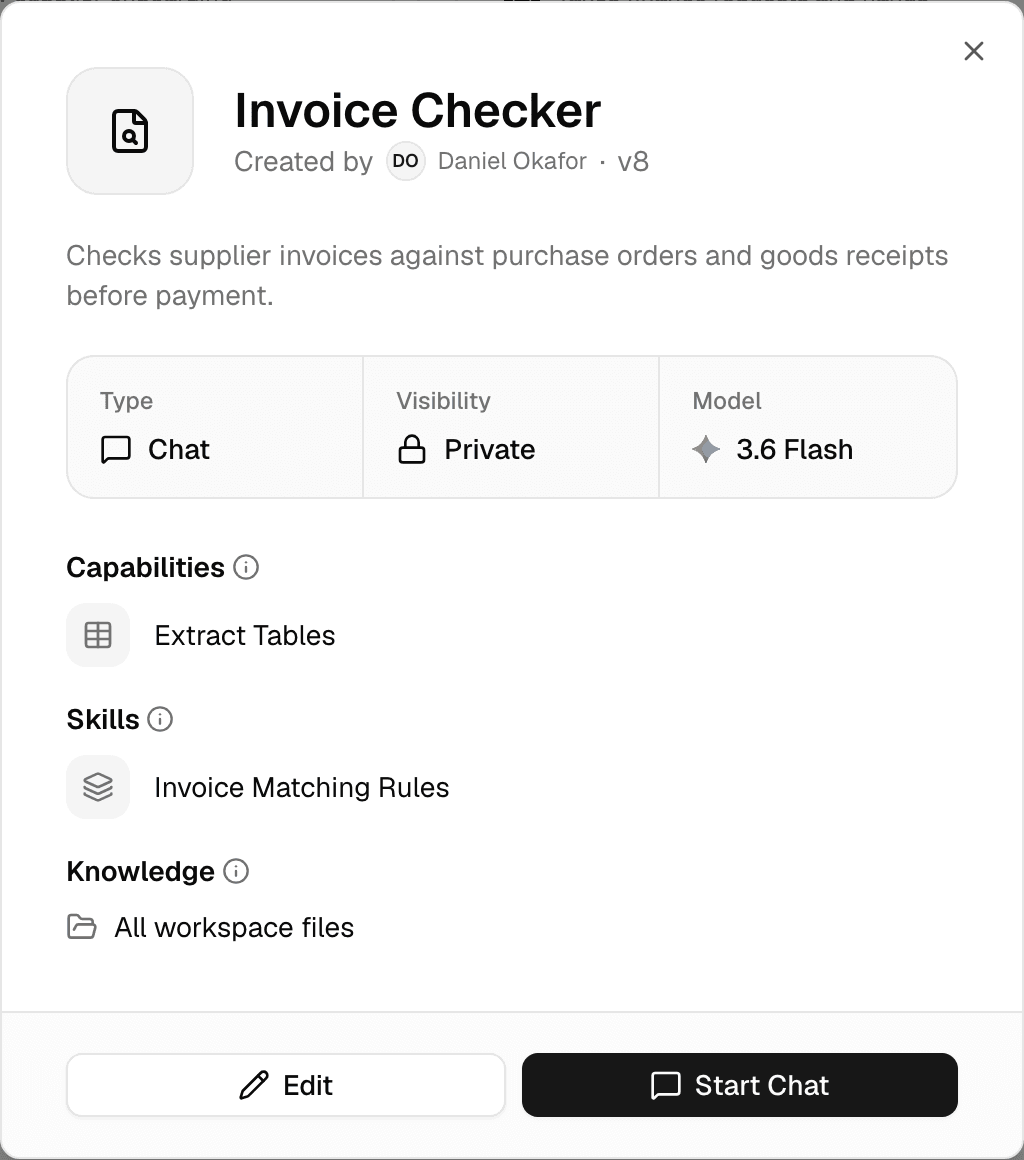
Select a card to see what the agent can do before you use it.
| Section | Shows |
|---|---|
| Type, Visibility, Model | Model is the agent's default model, or Workspace default when none is set. Visibility reads Private while you are the workspace's only member, Space once it is shared, and Platform for built-in agents. |
| Capabilities | The tools it can call. |
| Skills | Its skills and skill sets. |
| Connectors | The data sources and MCP servers it can reach. |
| Knowledge | The Library files and folders it searches, or All workspace files. |
Start Chat opens a new chat with the agent selected. An agent that was never published shows Publish instead, for people who can publish. Edit opens the editor; see Configure an agent.
Manage an agent
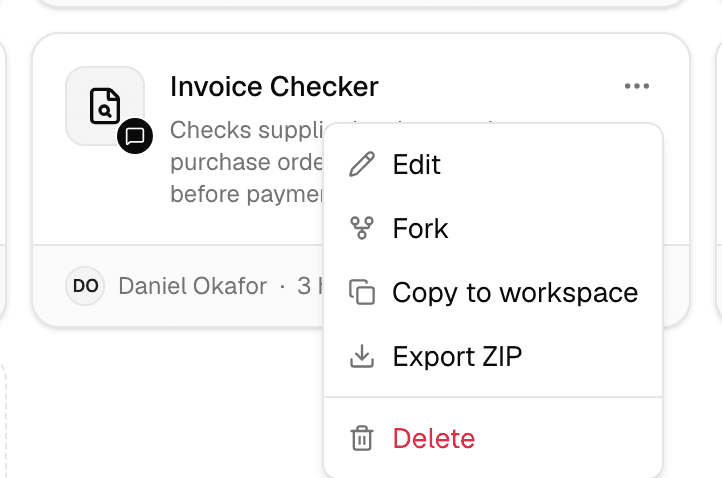
Hover over a card and open ….
| Action | What it does |
|---|---|
| Edit | Opens the editor. |
| Fork | Creates Copy of name in this workspace, with the same settings, as a draft to publish. |
| Copy to workspace | Copies the agent into another workspace you belong to. See Share and copy agents. |
| Export ZIP | Downloads the agent as a ZIP you can import elsewhere. |
| Delete | Deletes the agent after you confirm. This cannot be undone. |
| Duplicate & edit | Built-in agents only: creates Copy of name in this workspace, as a draft you can change and publish. |
| Remove from workspace | Built-in agents only: takes the agent out of this workspace. See Start from a template. |
Create an agent
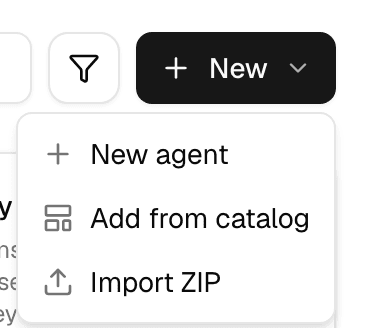
Select New, or the New agent tile at the end of the grid.
| Option | Use it to | Guide |
|---|---|---|
| New agent | Open the editor on a new draft. Fill it in yourself, or describe the agent to Agent Builder in the Build tab. | Configure an agent, Build an agent by chatting |
| Add from catalog | Add or copy a ready-made agent. | Start from a template |
| Import ZIP | Bring in an agent exported with Export ZIP. | Share and copy agents |
A new agent can be used only once it is published. Until then it cannot be chatted with, scheduled, picked in Slack or Teams, called by other agents or serve as the workspace's default agent.
Who can do what
With the workspace's default roles:
| Task | Member | Editor | Admin |
|---|---|---|---|
| Use, create, edit, test and delete workspace agents | Yes | Yes | Yes |
| Publish agents, and re-publish earlier versions | No | Yes | Yes |
| Add or remove built-in agents | No | No | Yes |
Admins can change these permissions; see Roles and permissions. The agent a new chat starts with is set by an admin under Chat settings; only a published agent can be the default.
To manage agents with an API key, see Create and configure an agent in the API documentation.
Share a chat
Send a frozen copy of a chat for review, make it public, or invite workspace members to work in the same chat with you.
Build an agent by chatting
Describe an agent in the editor's Build tab and Agent Builder fills in its instructions, tools and skills in the draft, ready to test and publish.