

Start from a template
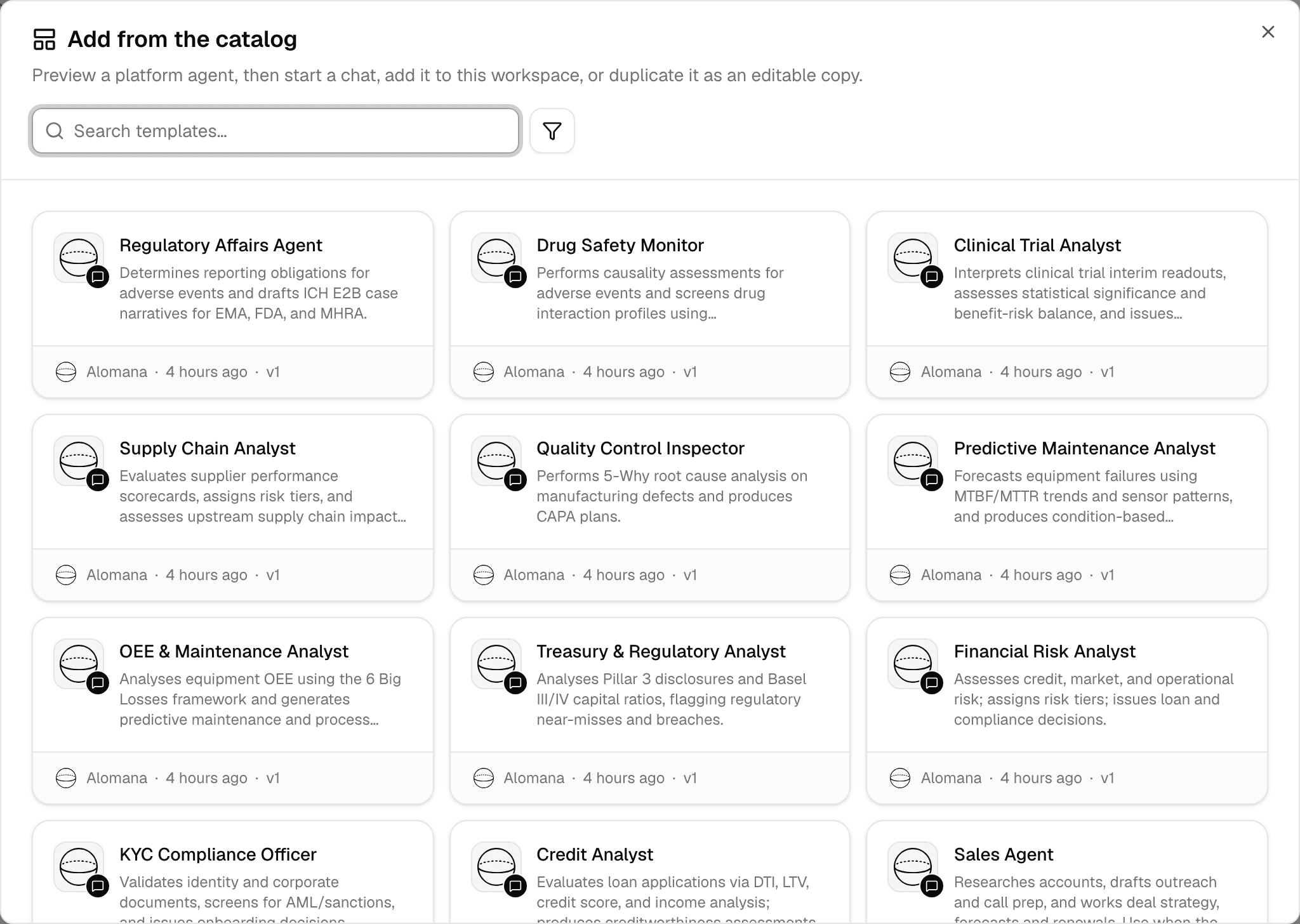
The catalog holds ready-made agents from Alomana for common jobs, such as finance, sales, legal or compliance work. Chat with one as it is, add it to your workspace, or copy it and make it your own.
Browse the catalog
-
Select Agents in the sidebar.
-
Select New > Add from catalog.
-
Search, or filter by tag with the filter button, and select an agent to see what it does.

| Button | What it does |
|---|---|
| Start Chat | Opens a new chat with the agent, without adding it to the workspace. |
| Add to workspace | Puts the agent on this workspace's Agents page, in the composer's agent list and in @ mentions. Workspace admins only. Shows Added once it is in. |
| Duplicate & edit | Creates Copy of name in this workspace, with the same instructions, skills and settings, as a draft. Change it, then publish it; until then nobody can use it. |
Use Add to workspace when the agent works for you as it is, and Duplicate & edit when you want to change its instructions, tools or knowledge. An added agent is ready to use and kept up to date by Alomana; a duplicate is yours and changes only when you publish it. See Test and publish an agent.
Remove a catalog agent from the workspace
Workspace admins only.
-
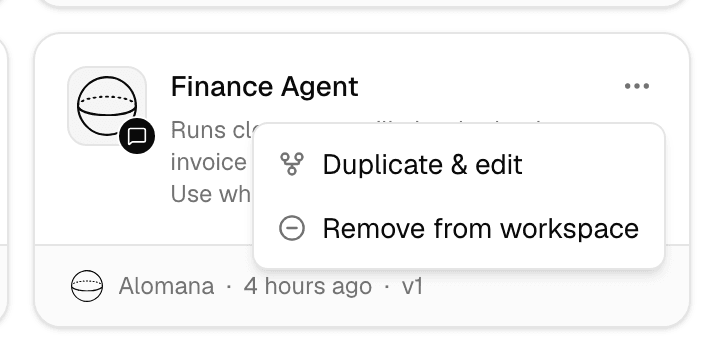
On the Agents page, open the agent's … menu.
-
Select Remove from workspace, then confirm.
The agent no longer appears in the workspace's agent library, composer or mentions. Chats that already use it keep working, and you can add it back from the catalog at any time.
Remove from workspace is greyed out while the agent is the workspace's default agent or used by an active suggestion on the start page. Change those first in Chat settings.
Other starting points
| Start from | How |
|---|---|
| A description of the job | New > New agent, then describe the agent in the Build tab. See Build an agent by chatting. |
| A prompt template | In the agent editor, Prompt > Start from a template. See Write prompt templates. |
| An agent from another workspace | Copy to workspace, or Export ZIP and Import ZIP. See Share and copy agents. |