

Build an agent by chatting
Agent Builder is a built-in agent that sets up an agent from a description of the job. It sits in the Build tab of the agent editor and writes its changes into the agent's draft.
Build in the editor
-
Open the editor: Agents > New > New agent for a new agent, or Edit on an existing agent's card.
-
In the Build tab next to the form, describe what the agent should do, or the change you want: the job, what it receives and what a good answer looks like.
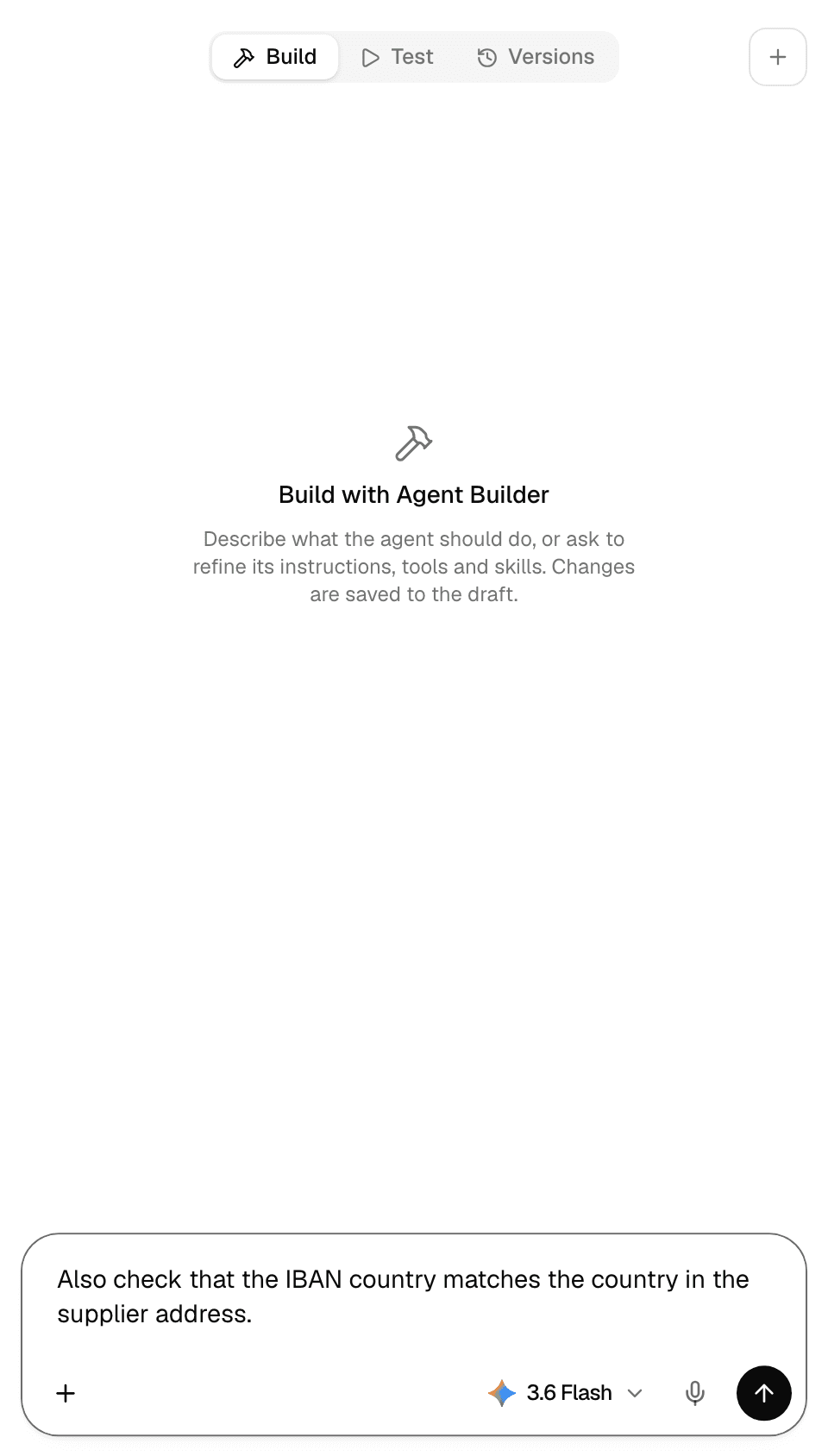
-
Send the message. While Agent Builder works, the header reads Agent Builder is editing… and the form is locked.
-
When it finishes, the form shows its changes, saved to the draft. Check them pane by pane, then ask for more changes in the same chat.
-
Test the draft and publish it. See Test and publish an agent.
- Agent Builder looks up what your workspace has (models, skills, prompt templates, connectors and Library files) and picks from it.
- If a skill the agent needs is not in your workspace, Agent Builder can find one and bundle it with the agent.
- The + at the top right of the tab starts a new build chat.
- Leaving with Back to platform while Agent Builder works asks Stop the builder and leave?. Stop and leave stops it; changes it has already saved stay in the draft.
- Agent Builder publishes only when you ask it to, and only if you have the publish permission.
Chat with Agent Builder outside the editor
Agent Builder is also in every workspace's agent list. In the chat composer, select + > Agents > Agent Builder and describe the agent you need.
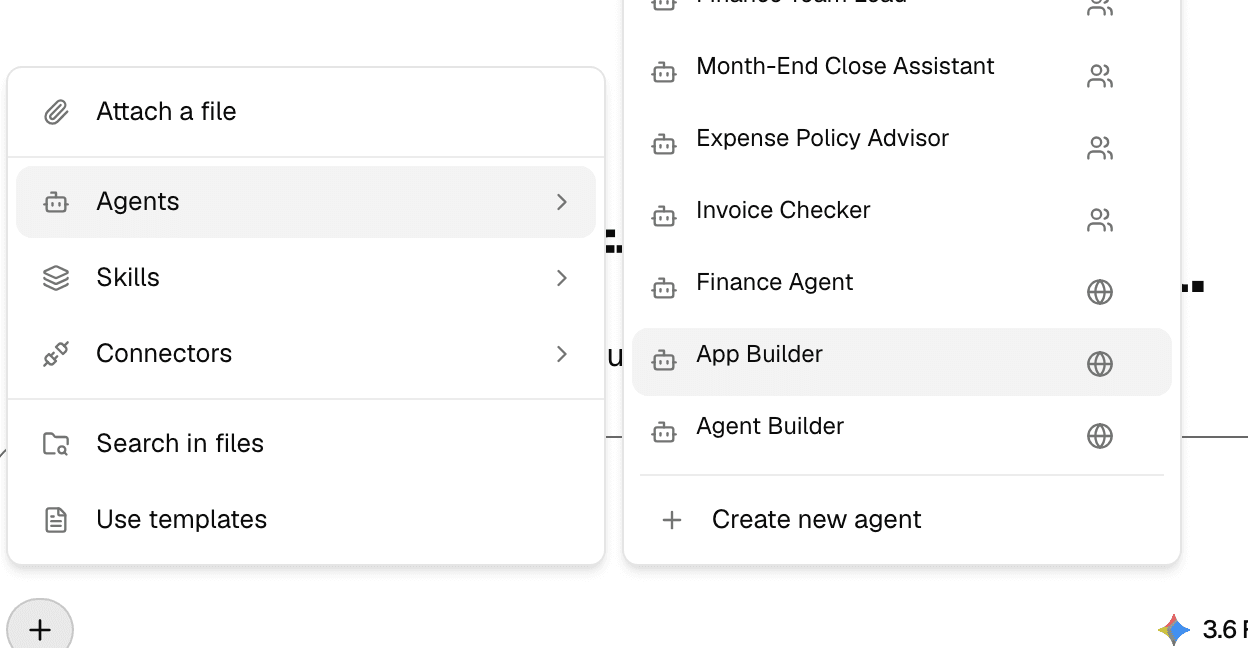
It may ask a few questions first: pick an answer on each tab, or Other to write your own, then select Submit. It then shows the draft: the agent's name, description, instructions and configuration.
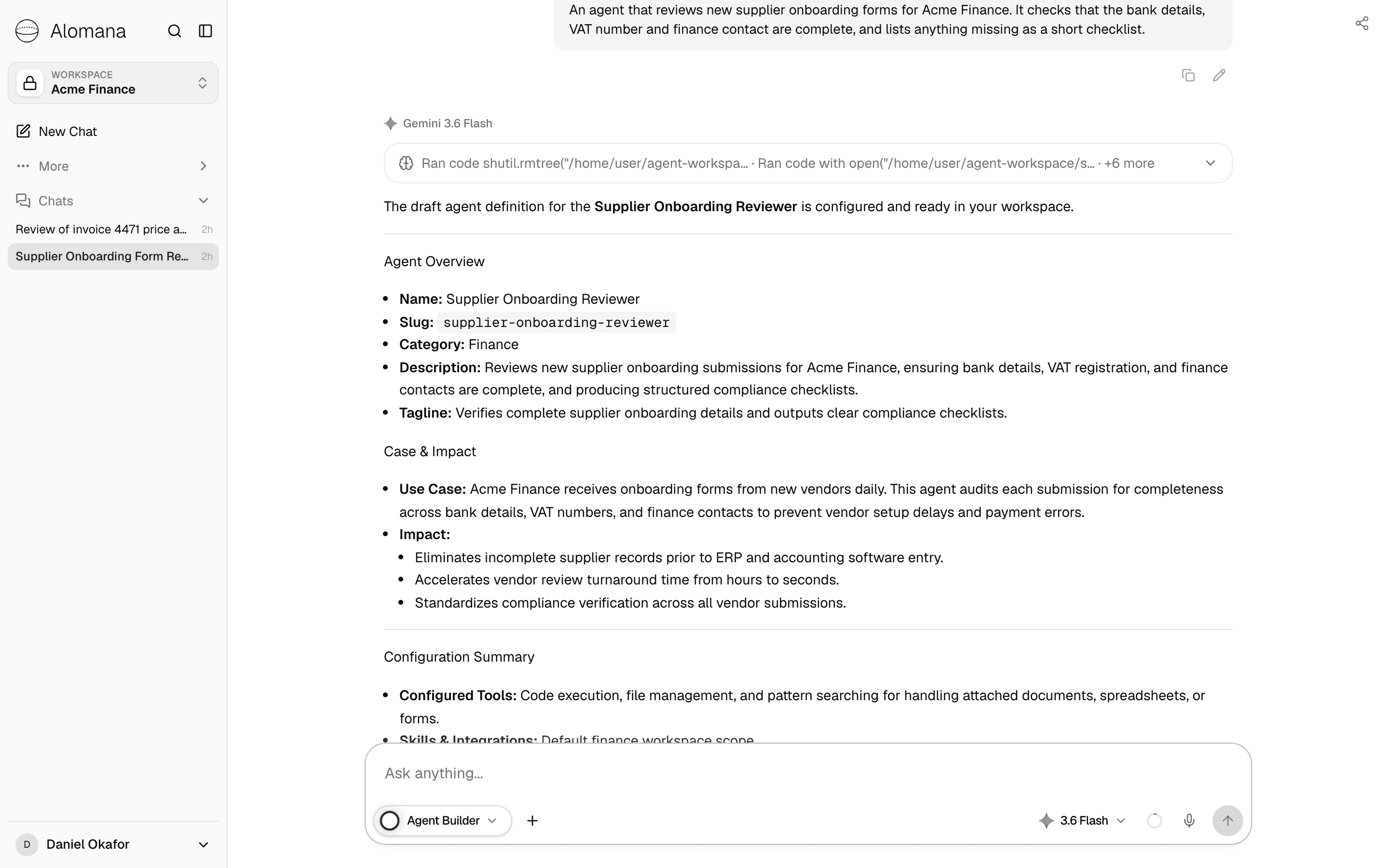
When you ask it to save, the agent is created as a draft on the Agents page. Open it, test it and publish it there, or ask Agent Builder to publish it.
Troubleshooting
| Message | What to do |
|---|---|
| Agent Builder is unavailable in this workspace. | Ask your administrator; Agent Builder is part of every workspace. |
| Building and testing are paused | The workspace's plan has ended. See Usage and limits. |
Agents
The Agents page lists your workspace's agents and the built-in agents added to it. Find, open, run, create and manage agents from one place.
Configure an agent
Every part of the agent editor, from the header and the Build and Test panel to each pane's settings, from name and model to tools and knowledge.