

Usage and limits
Your plan gives you an allowance of credits, and everything agents do for you uses some of them.
Credits
- Every model reply uses credits, priced by the model that answered: larger models use more.
- Tools use credits too, such as web search and image generation, and so does the time an agent spends running code.
- The allowance is yours, not the workspace's: work in every workspace you belong to counts against the same credits.
- On a plan without an allowance, such as Unlimited, you are never stopped for running out.
Check your usage
Open Settings > Usage & Limits.
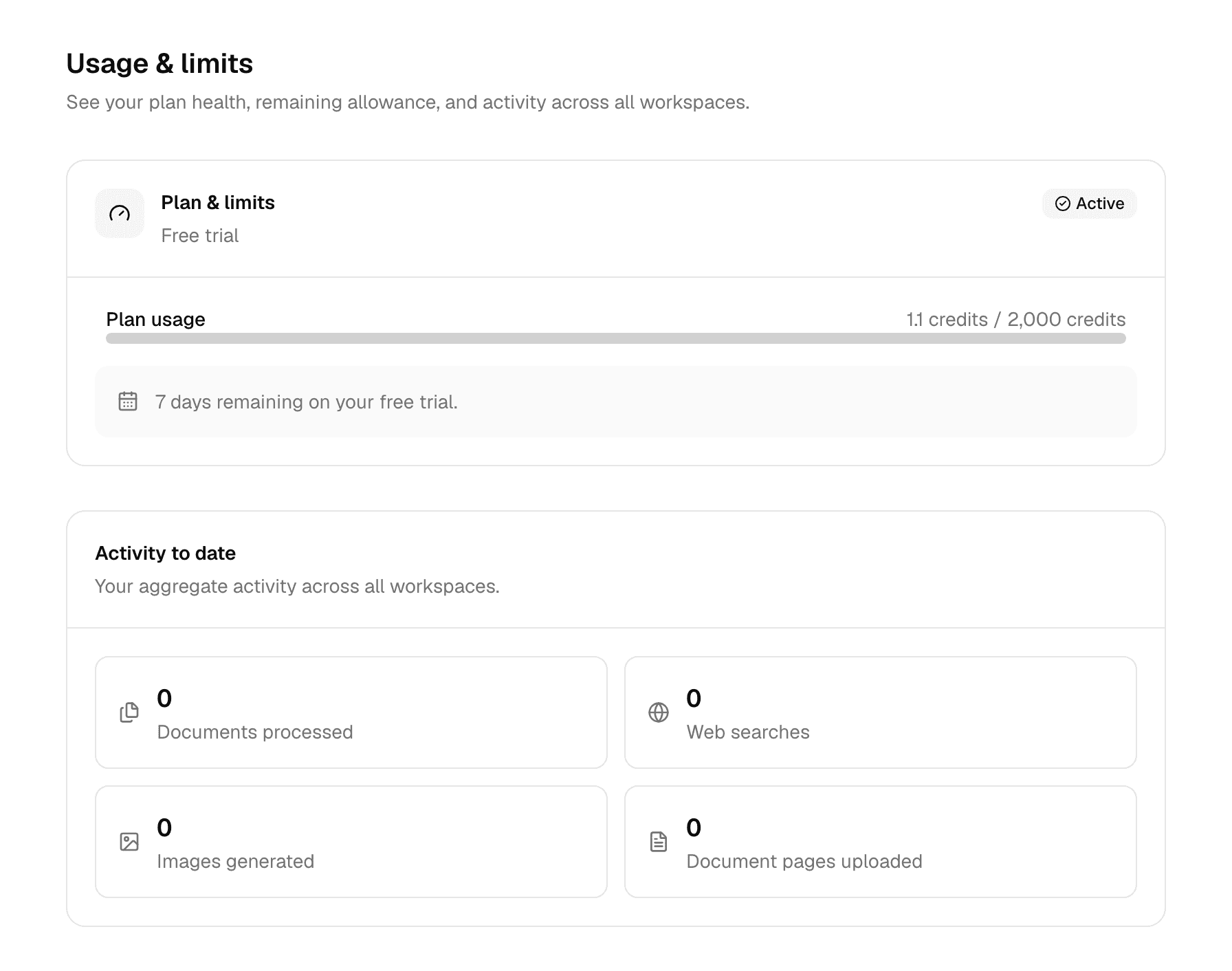
| Shown | Meaning |
|---|---|
| Plan & limits | Your plan's name, and Active, Limit reached or Expired. |
| Plan usage | Credits used in the current period out of your allowance. |
| Credits renew on | When your allowance starts again, and how long until then. |
| A line under the bar | Your plan's state, such as 7 days remaining on your free trial. or Your plan is active with no expiry date. |
| Your plan has no usage limits. and Credits used in the last month | Shown instead of the bar on a plan without an allowance. |
| Activity to date | Documents processed, web searches, images generated and document pages uploaded, across all your workspaces. |
The pill at the top of the home screen shows the same plan, for example Your plan: Free trial · 7 days left, and changes to Usage limit reached or Trial ended with Upgrade when you are stopped. It is not shown on the Unlimited plan.
Where plans are sold in the app, Change plan on Settings > Billing lists each plan's credits per period.
How your allowance renews
Each plan sets how many credits you get and how often they renew. Your deployment sets these numbers, so read yours on Usage & Limits.
| Rule | What it means |
|---|---|
| Period | Starts on the day you got your plan, not on the first of the month. A monthly period started on the 31st renews on the last day of shorter months. |
| Renewal | Your full allowance is available again at the start of each period. Unused credits do not carry over. |
| No renewal | Some plans, such as a free trial, never renew: the allowance lasts until the plan ends, and Credits renew on is not shown. |
| Organization seat | Your organization gives you a seat instead of a personal plan. Its period starts on the day the seat was assigned to you. |
When your plan changes
- New accounts start on the plan your deployment gives new people.
- When an administrator moves you to another plan, a new period starts with that plan's full allowance.
- An administrator can also reset your credits, which starts a new period on the same plan.
- When you switch between paid plans yourself, the new allowance applies at once and the credits already used this period still count.
- When a free trial ends, you move to the Free plan the next time you use Alomana, where your deployment offers it.
When you run out
Alomana checks your credits when an agent starts a reply. A reply already in progress finishes.
Your plan decides what happens next:
- You are stopped until the credits renew. Sending a message opens a dialog that explains why and what you can do.
- You keep limited models. A note above the message box reads You've used your credits. Until date, you can use limited models only. Until then, chats run on those models only, and a message sent with another model uses one of them instead. Select × to hide the note.
| Dialog | When | What it offers |
|---|---|---|
| You have used this period's credits | Your allowance for this period is used up. | Wait until the renewal date, or See plans where you can buy a plan in the app. |
| Your free trial has ended, Your plan has ended | Your plan expired. | See plans where you can buy a plan in the app; your chats and agents are kept. |
| Your seat is inactive | Your organization seat ended. | Ask an admin of your organization for a seat. |
| Model not available on your plan | You picked a model your plan does not include. | Pick a model your plan includes, or See plans. In an organization it offers Contact Alomana. |
Where plans are not sold in the app, the dialog offers Contact Alomana instead of See plans. In an organization, it tells members to ask an organization admin for a bigger seat, and gives admins Manage seats.
A scheduled task that is due while you have no credits does not run; its last run shows Stopped by quota.
To read your credits with an API key, see Plans and credits in the API documentation.
Manage your workspaces
See every workspace you belong to on My Workspaces, switch between them, and create a new workspace with teammates and agents.
Manage your plan and billing
See your plan and its dates on the Billing page, and where plans are sold in the app, buy, change or cancel one and update your card.