

Sub-agents
An agent can hand a self-contained task to another agent, a sub-agent, which works in the background and reports back in the same chat.
A coordinator such as a Finance Team Lead can send an invoice to the Invoice Checker and a claim to the Expense Policy Advisor, then sum up what each found. You talk to one agent; the specialists do their part.
Let an agent call other agents
Both sides need a setting in the agent editor; see Configure an agent.
| On the agent that delegates | On the agent that receives work |
|---|---|
| Sub-agents pane: Let this agent call other agents | General pane: Other agents can hand work to this agent |
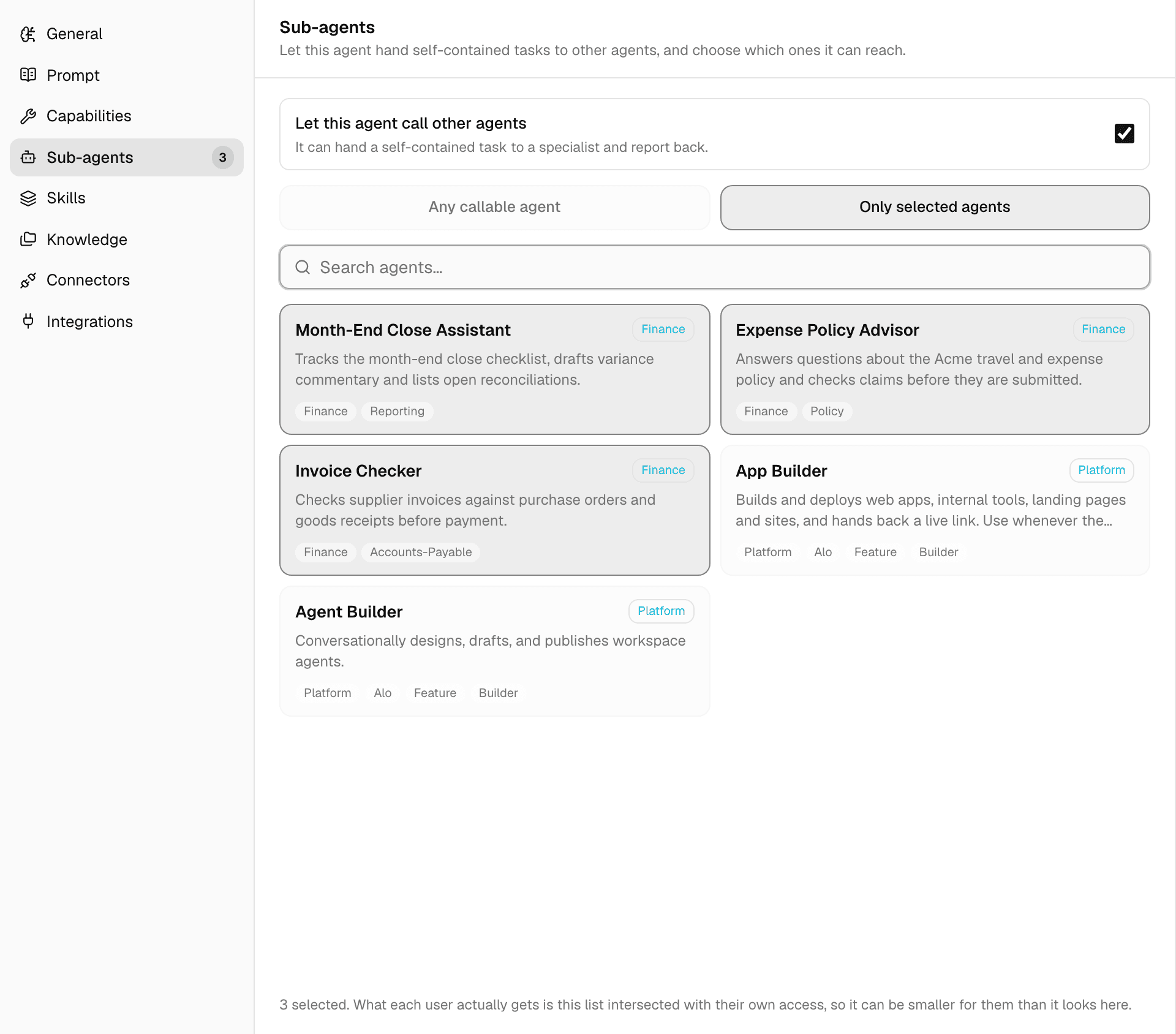
With Let this agent call other agents on, choose which agents it can reach:
| Option | The agent can call |
|---|---|
| Any callable agent | Every agent in the workspace that accepts work from other agents, including built-in agents added to the workspace. |
| Only selected agents | Only the agents you select. Saving with none selected leaves it unrestricted. |
- Only agents with Other agents can hand work to this agent on are listed, and only published agents can be called.
- An agent without a description is marked No description — hard to route to: the delegating agent picks sub-agents by their description.
- Each person only gets the sub-agents they could use themselves, so the list can be shorter for them than in the editor.
- Even with no sub-agents to call, a delegating agent can split work off to two built-in helpers that use its own tools and skills.
What you see in the chat
-
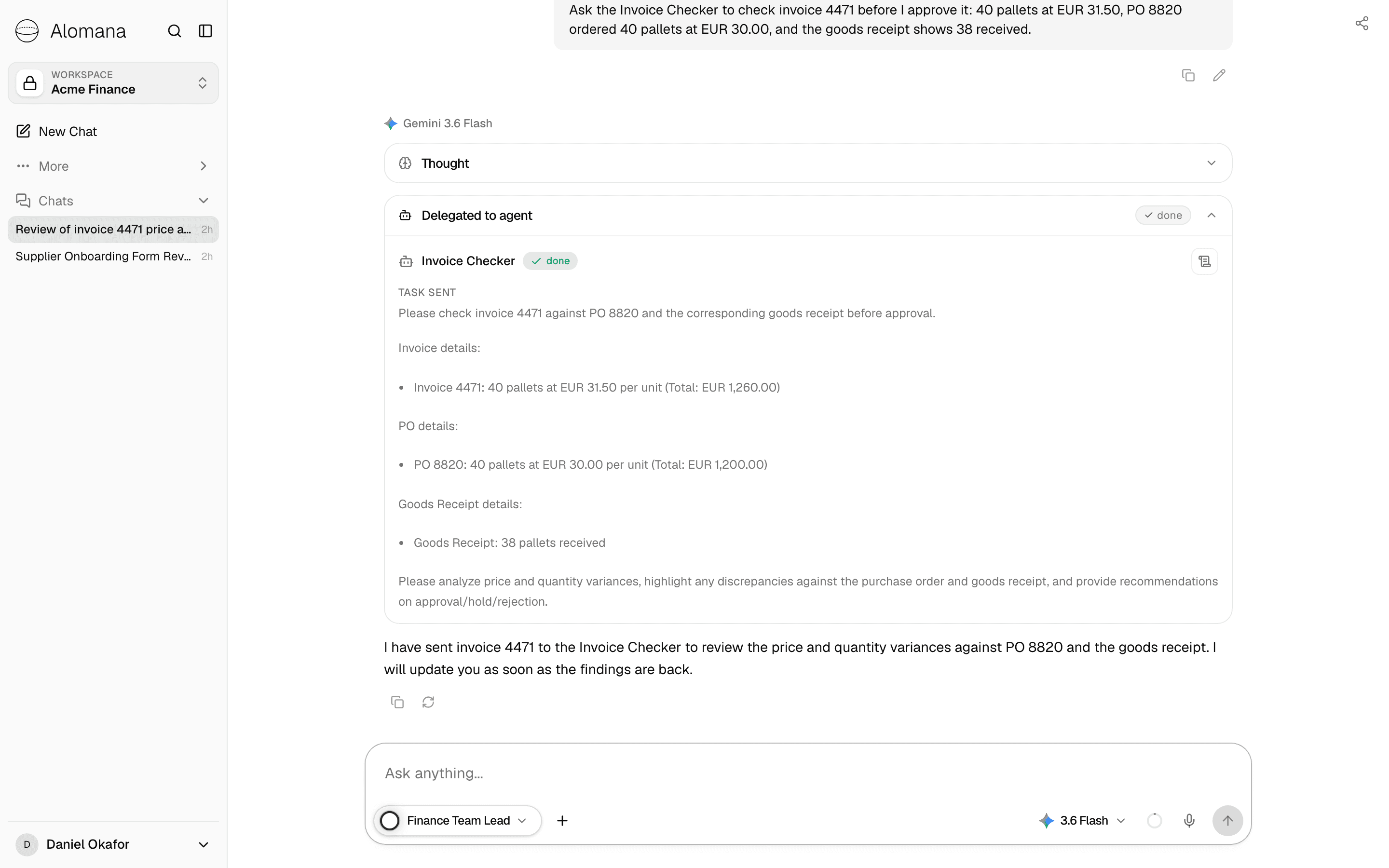
The agent shows a Delegated to agent step with the sub-agent's name and the task it sent.
-
While the sub-agent works, a strip above the composer shows its name, working in the background and the time so far. You can keep chatting.

-
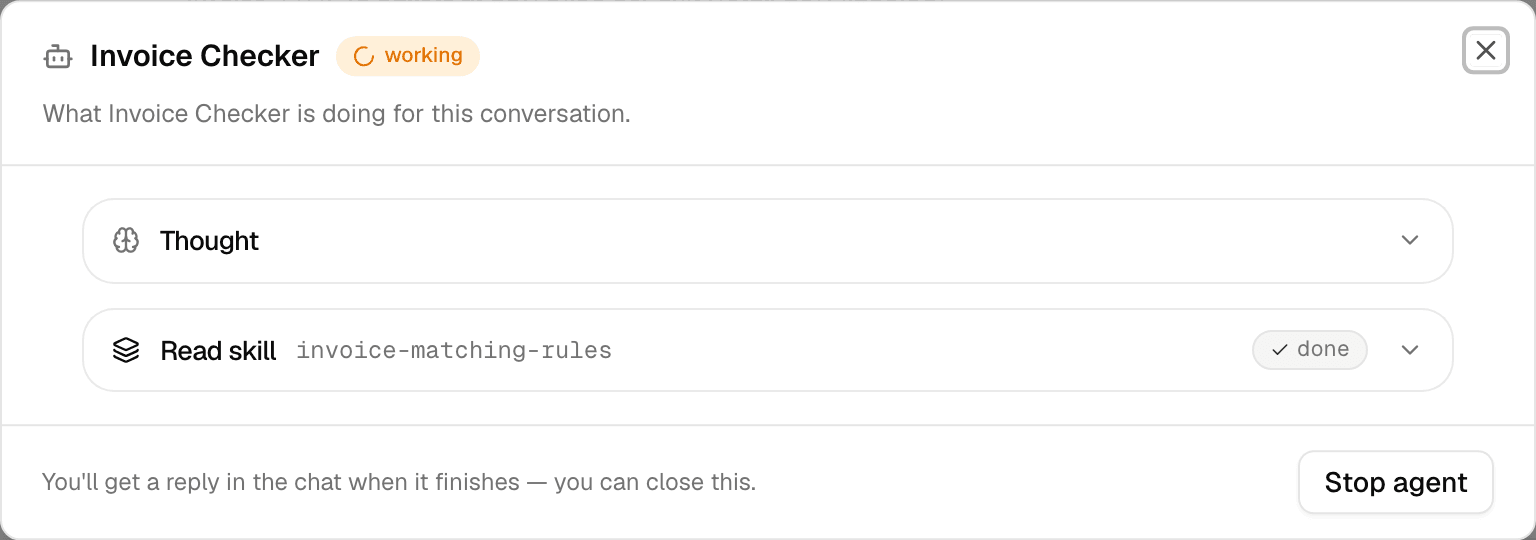
See activity opens what the sub-agent is doing: its steps, the skills it reads and the tools it calls. Stop agent cancels it.
-
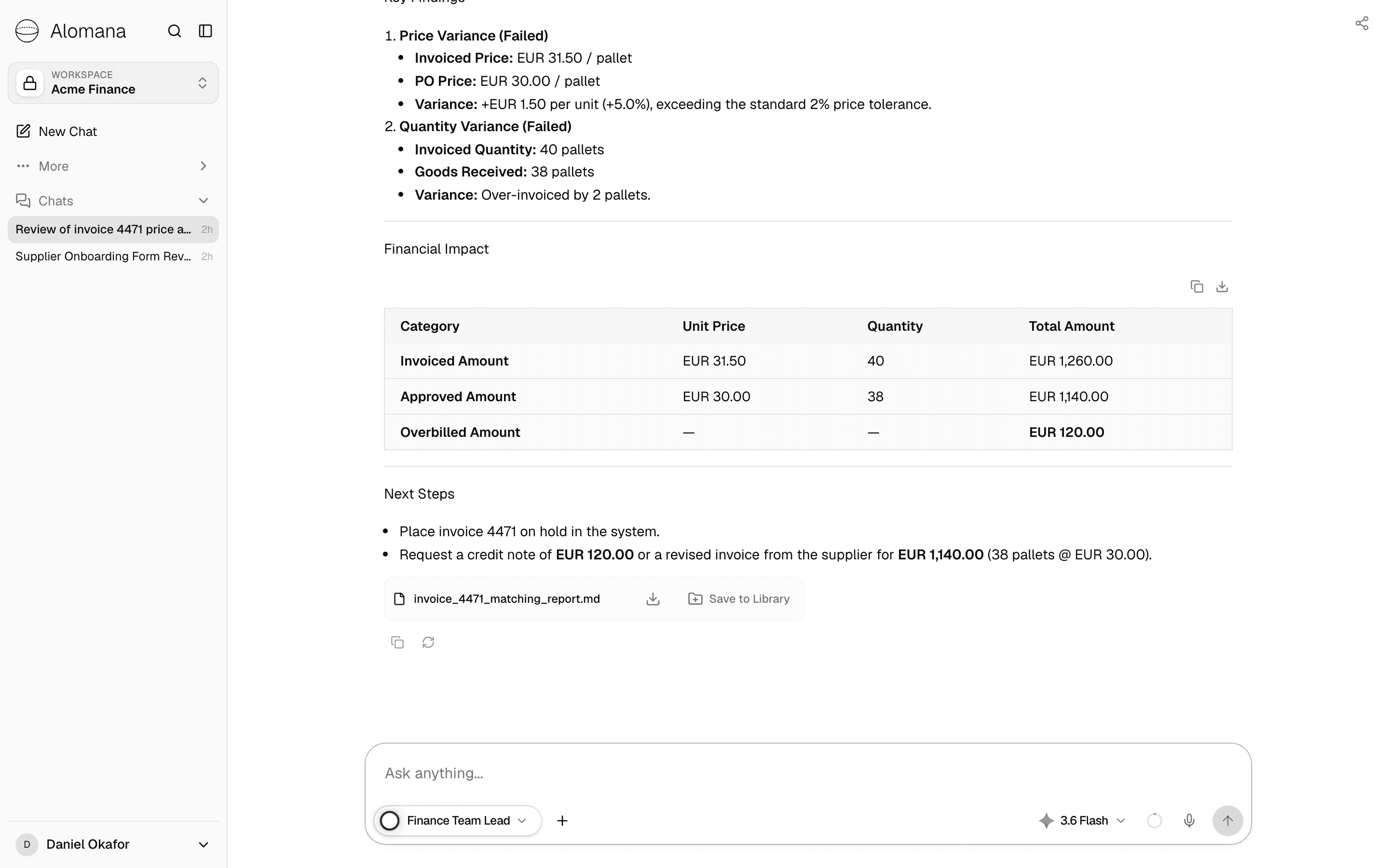
When the sub-agent finishes, the agent you are chatting with picks up its report and answers in the chat. Files the sub-agent created appear in that answer.
Rules
| Rule | Value |
|---|---|
| Delegation depth | A sub-agent can delegate once more; below that it works alone. |
| Sub-agents running at once in one chat | Up to 5 |
| Files an agent can hand to a sub-agent | Up to 3, each up to 25 MB |
- A sub-agent cannot ask you questions; it makes a reasonable assumption and says so in its report.
- If a sub-agent needs your approval for an action, the approval card appears in your chat.
- A sub-agent works with the files of the chat it was called from.
- A sub-agent runs its own published version, on its own model, and its usage counts toward yours. Changes in its draft reach the delegating agent only once they are published.
- While you test a draft in the editor's Test tab, the draft delegates, but the sub-agents it calls still run their published versions.
Sub-agents and @ mentions
Typing @ and an agent's name sends your message to that agent yourself; the agent answers in the chat. Delegation is the agent deciding to pass work on. See Mentions and commands.
Test and publish an agent
Every edit saves to a draft that only editors see. Test the draft, publish it as a numbered version, and roll back or restore earlier versions.
Write prompt templates
Save reusable system prompts as templates, start agents from them, and attach one to a chat message from the composer.