

Skills
Skills
A skill is a packaged set of instructions an agent follows for one kind of task, such as matching invoices or writing variance commentary, with any scripts and reference files it needs.
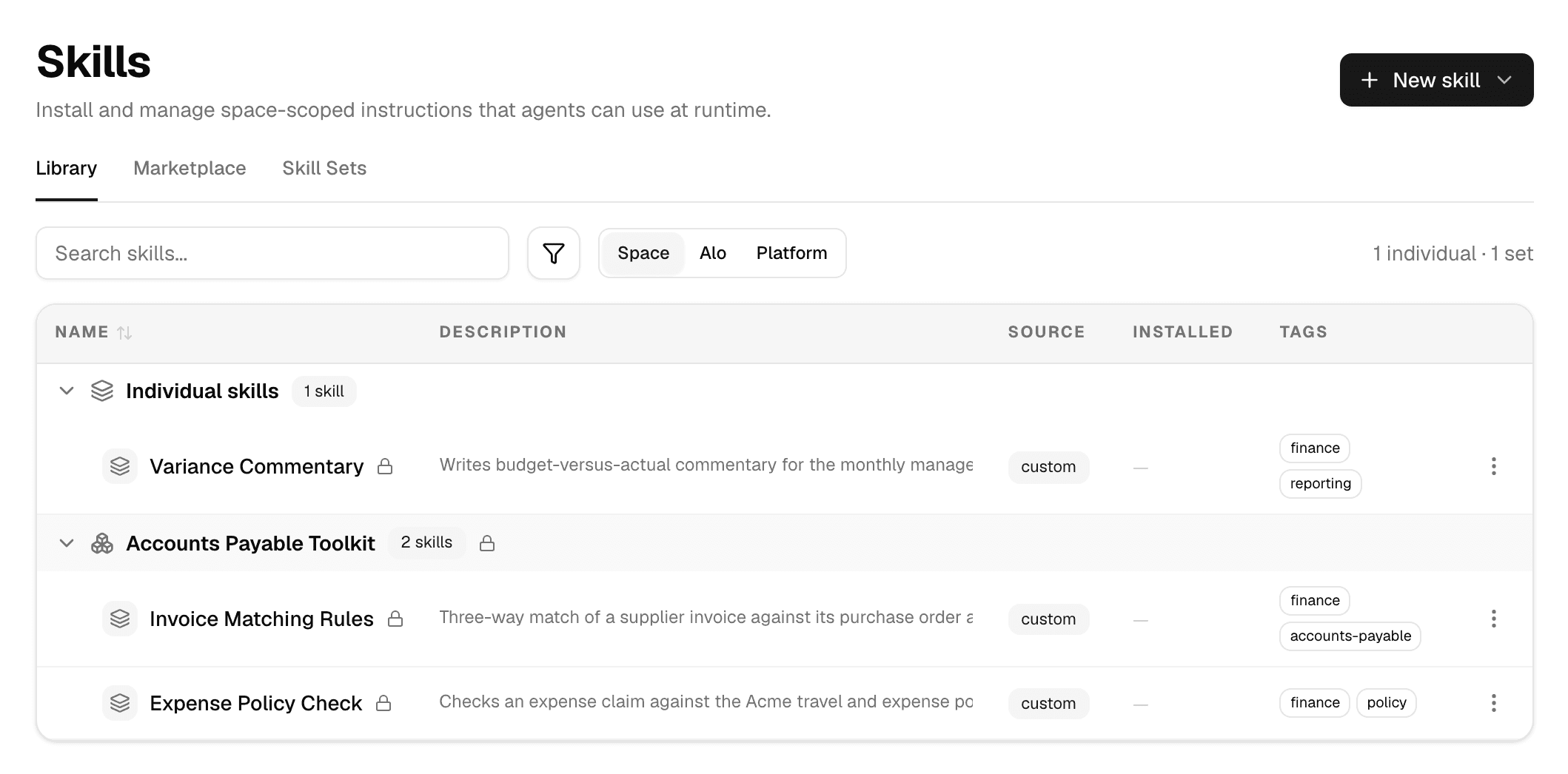
Open Agents > Skills in the sidebar.
How an agent uses a skill
Skills cost little until they are needed:
- An agent always knows the name and description of every skill it has, and uses them to decide when a skill applies.
- When a task matches, the agent reads the skill's instructions, its
SKILL.md. - The agent opens the skill's other files, such as a script or a reference table, only when the instructions point to them.
So the description matters most: write it to say when the skill should be used, in a sentence or two.
Give an agent skills
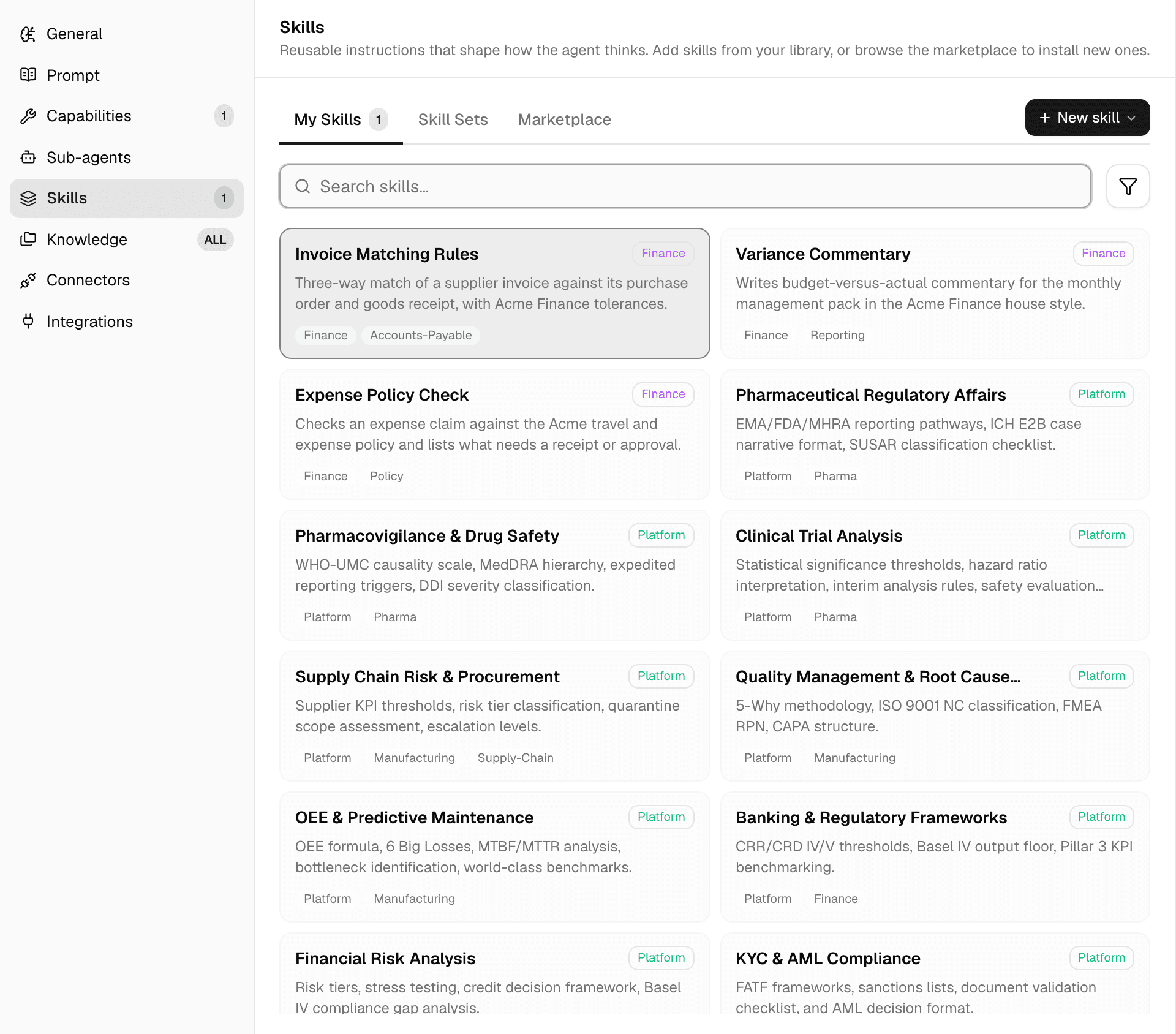
- For good: in the agent editor, open Skills and select the skills or skill sets the agent should have. See Configure an agent.
- For one chat: type / in the composer, or select + > Skills, and pick a skill. See Mentions and commands.
Built-in skills and your own
| Built-in skills | Your skills | |
|---|---|---|
| Made by | Alomana | Members of your workspace, or installed from the marketplace |
| Seen in | Every workspace | This workspace only |
| Change it | Fork to customize copies it into your workspace, where you can edit the copy | Edit, replace with a ZIP, download or delete |
| Shown with | A globe icon and the Platform label | A lock icon while you are the workspace's only member |
The buttons above the list switch between them:
| Filter | Shows |
|---|---|
| Space | Skills made or installed in this workspace. |
| Alo | Built-in skills of Alomana's own agents, such as Agent Builder and App Builder. |
| Platform | Every built-in skill. |
The Source column says where a skill came from: custom (made or uploaded here), marketplace or seeded (built in).
Skills and agent changes
An agent keeps the skills it was published with, content included:
- When you edit a skill, every agent that uses it shows Update available and takes the change when it is next published. The skill editor shows how many agents that is: Used by n agents.
- When you delete a skill, it is taken off every agent's draft. Agents keep using the copy in their published version, and show Update available, until they are published again.
See Test and publish an agent.
Next steps
- Create a skill, or import one as a
SKILL.mdor ZIP. - Group skills into skill sets.
- Install a skill from the marketplace.
To manage skills with an API key, see Create and configure an agent in the API documentation.