

Create a skill
Write a skill in the editor, or bring one in as a SKILL.md file or a ZIP.
Open Agents > Skills in the sidebar and select New skill.
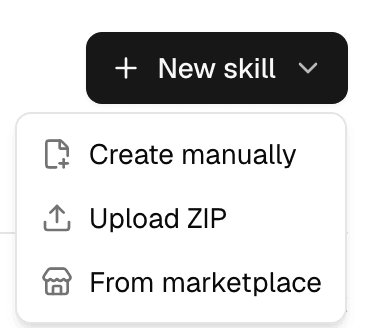
| Option | Use it when |
|---|---|
| Create manually | You write the instructions, or paste or import a SKILL.md. |
| Upload ZIP | The skill has scripts or reference files, or you are bringing in several skills at once. |
| From marketplace | Someone has already published the skill. See Install skills from the marketplace. |
The same menu is in the agent editor's Skills pane, where a new skill is ready to switch on for that agent.
Write a skill
- Select New skill > Create manually.
- Fill in the fields.
- Select Create. The skill is saved and the Skills page opens.
| Field | What to enter |
|---|---|
| Name | Required. How the skill appears in lists and pickers. |
| Description | When an agent should use the skill. Agents read this before deciding to open the skill. |
| Tags | Labels for the tag filter. |
| SKILL.md | The instructions. The editor starts you with a template: a heading, When to use and Instructions. |
Import .md next to SKILL.md loads a Markdown file into the box. If the file starts with frontmatter (name, description, tags between --- lines), those fill in the fields above; otherwise the first heading becomes the name and the line under it the description. Typing in the SKILL.md box fills empty fields the same way.
Write instructions the way you would brief a colleague: when the skill applies, the steps, the rules and the shape of the answer. Keep them short; an agent reads them in full whenever it uses the skill.
Upload a ZIP
-
Put each skill in its own folder with a
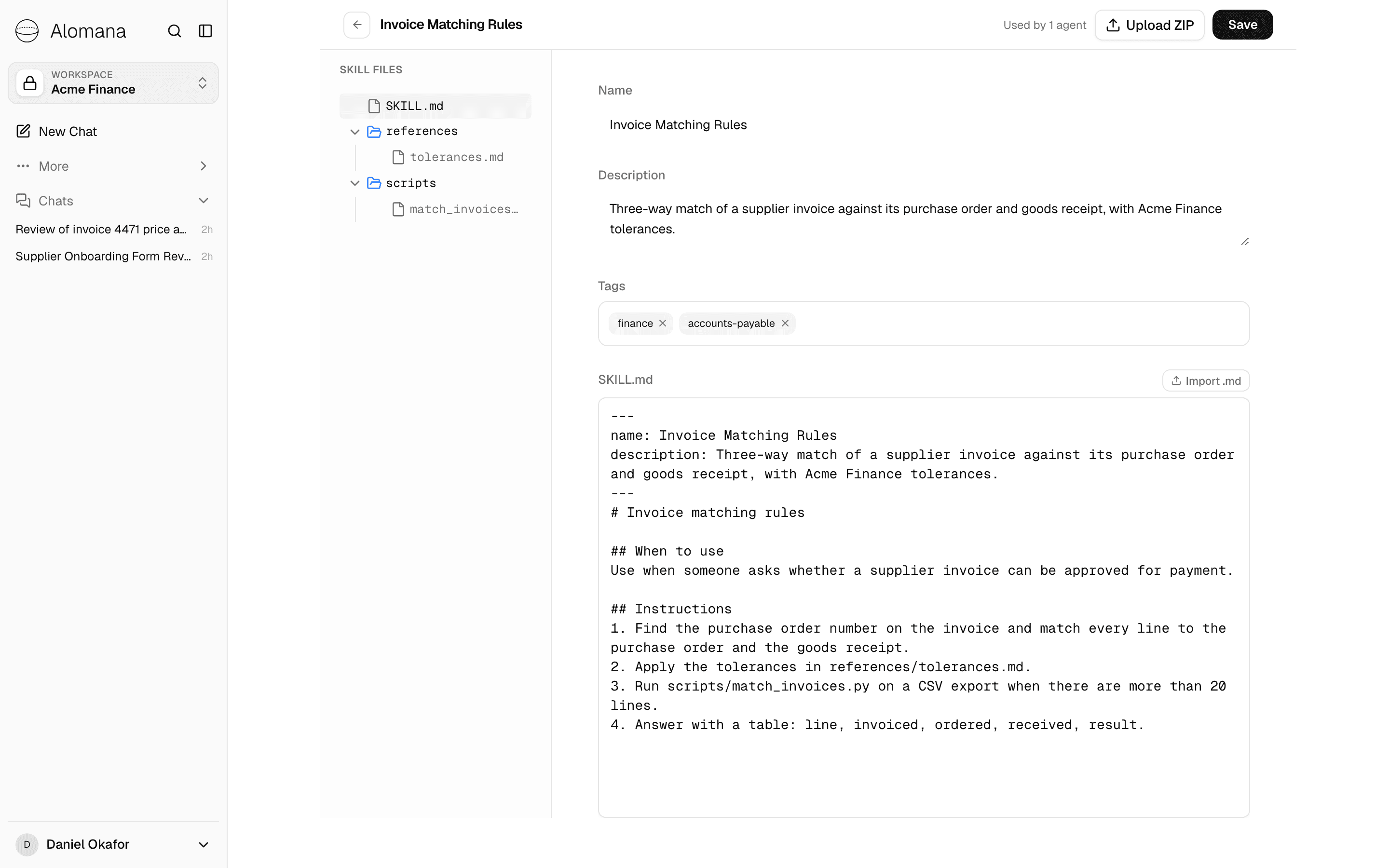
SKILL.mdinside, plus any other files it needs, for example:invoice-matching-rules/ SKILL.md references/tolerances.md scripts/match_invoices.py -
ZIP the folder, or several skill folders together.
-
Select New skill > Upload ZIP and choose the file. You can choose several ZIPs at once.
Each folder with a SKILL.md becomes one skill. The editor then shows its files under Skill files.
| Rule | Value |
|---|---|
| ZIP size | Up to 30 MB, packed and unpacked |
| Files kept | Every file, such as scripts, images, fonts and spreadsheets. Only .DS_Store, Thumbs.db and anything under .git/ are left out |
SKILL.md size | Up to 500 KB; a larger SKILL.md is skipped |
| Description | Cut to 200 characters |
| Tags | Not imported; add them in the editor |
- The skill's name comes from the
namein itsSKILL.md, or the folder name if there is none. - Uploading a folder with the same name as a skill you have creates a second skill; to change an existing skill, use Upload ZIP in its editor instead.
- Files other than
SKILL.mdare read-only in the editor. To change them, upload a new ZIP.
Edit, replace, download or delete a skill
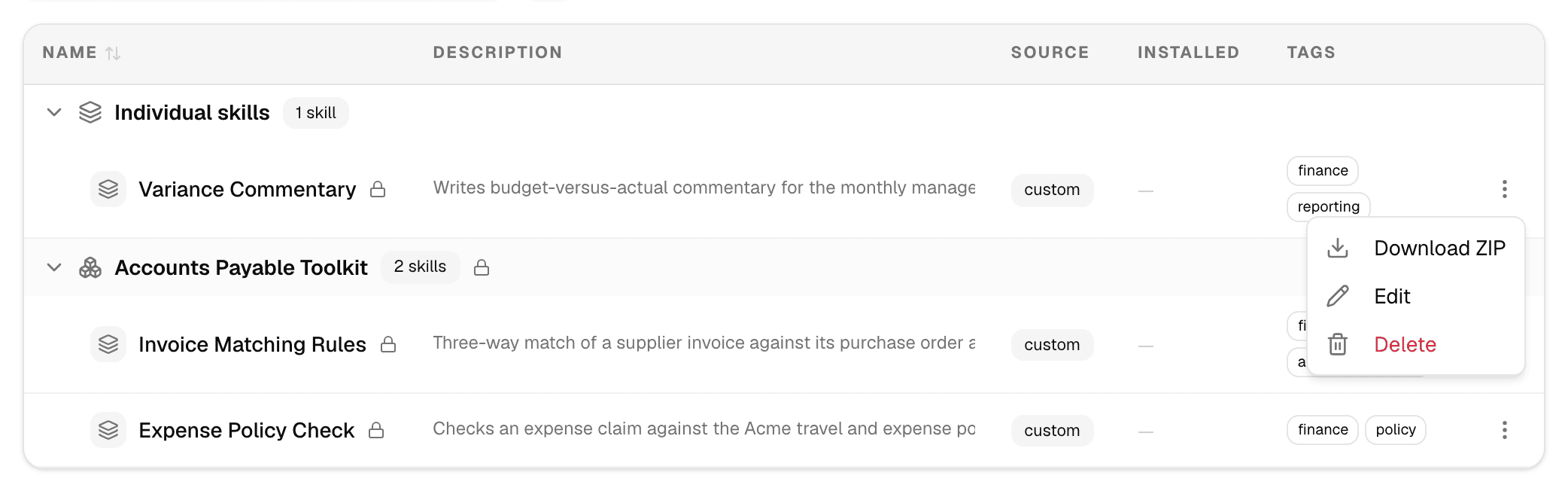
Select a skill's name to open it in the editor, change it and select Save. Open the ⋮ menu at the end of a row for more:
| Action | What it does |
|---|---|
| Download ZIP | Downloads the skill with all its files, ready to upload elsewhere. |
| Edit | Opens the editor. |
| Delete | Removes the skill after you confirm. It is taken off every agent's draft; agents keep using it in their published version until they are published again. |
| Fork to customize | Built-in skills only: copies the skill into your workspace and opens the copy. |
| Upload ZIP (in the editor) | Replaces the skill's SKILL.md and files with a ZIP holding one skill. Agents that use it keep it. |
Used by n agents at the top of the editor counts the agents that use the skill. A changed skill reaches each of them when that agent is next published; until then their editors show Update available.
Troubleshooting
| Message | What to do |
|---|---|
| No SKILL.md found in this archive | Put a SKILL.md in each skill's folder and ZIP again. |
| This archive contains several skills. Upload a ZIP with a single SKILL.md to replace this skill. | When replacing a skill from its editor, upload a ZIP with one skill only. |
| Archive exceeds the 10MB compressed size limit | Remove large files, or split the skills into several ZIPs. |