

Install skills from the marketplace
The marketplace searches skills.sh, a public catalogue of skills published by the community, and installs the one you pick into your workspace.
Find and install a skill
-
Select Agents > Skills in the sidebar, then the Marketplace tab. New skill > From marketplace opens the same tab.
-
Type in Search skills.sh...: a task, a file type or a skill name.
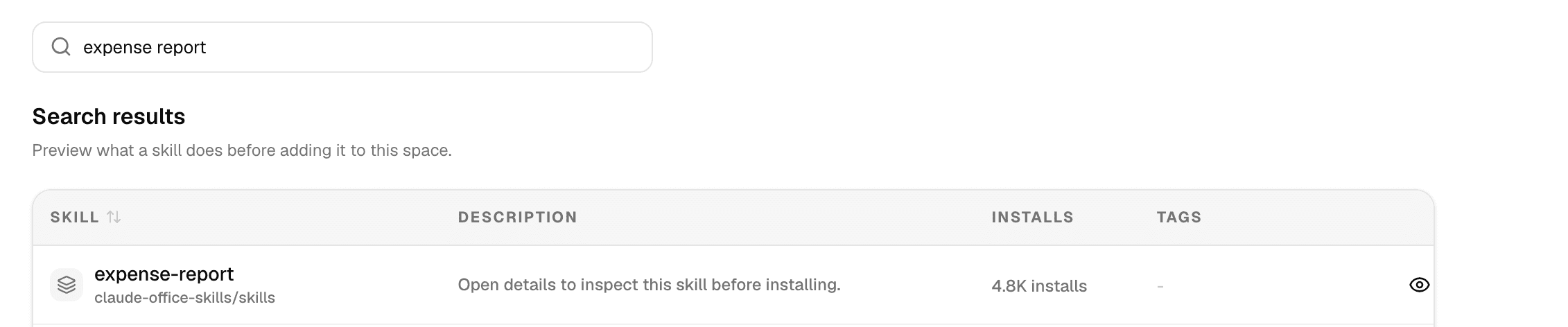
Each result shows the skill's name, the repository it comes from and how many times it has been installed.
-
Select the eye button to preview the skill: its details, source, installs, repository link, tags and supporting files.
-
Select Install skill in the preview, or Install at the end of the row.
The skill is copied into your workspace and listed on the Library tab with source marketplace and the tag marketplace, and its button changes to Installed. From then on it works like any skill you made: switch it on for agents, edit it, or delete it.
Install a skill for one agent
In the agent editor, open Skills, then Marketplace. The same search shows, with Install & use: it installs the skill and switches it on for this agent in one step. The arrow next to it has Install to library only.
Before you install
- Marketplace skills are written by third parties. Read the preview, or open the repository, to check what the skill tells an agent to do and which scripts it runs.
- An installed skill is a copy: later changes in its repository do not reach your workspace.
- The description is cut to 200 characters on install.
Some agents, such as Agent Builder, can also find and install a skill from the same catalogue during a chat. Such a skill is installed only for that chat and is not added to your workspace's skills, unless Agent Builder saves it with the agent it builds.