

Group skills into skill sets
A skill set is a named group of skills. Switching a set on for an agent gives it every skill in the set, including skills you add to the set later once the agent is published again.
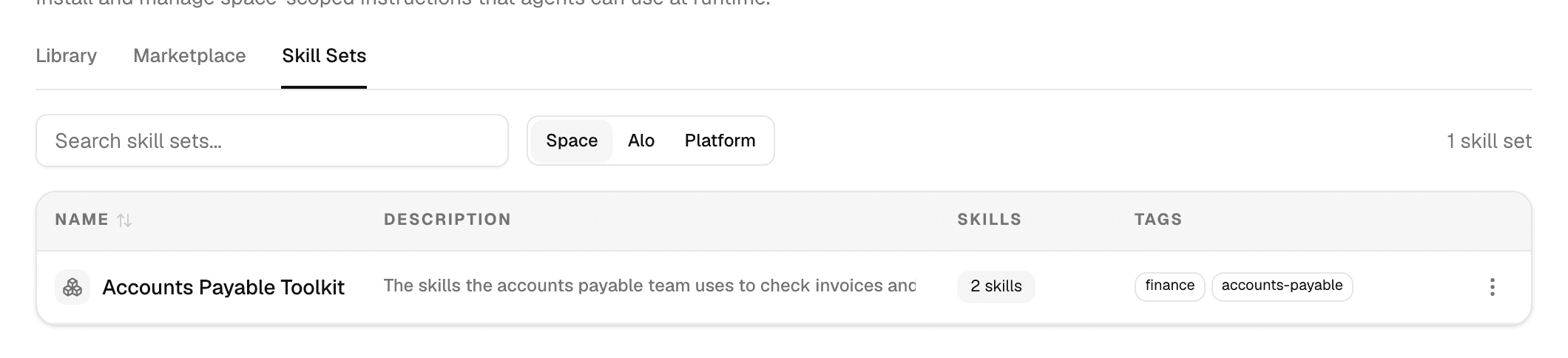
Open Agents > Skills in the sidebar and select the Skill Sets tab. Space, Alo and Platform switch between your workspace's sets and the built-in ones.
Create a skill set
-
On the Skill Sets tab, select New skill set > Create manually.
-
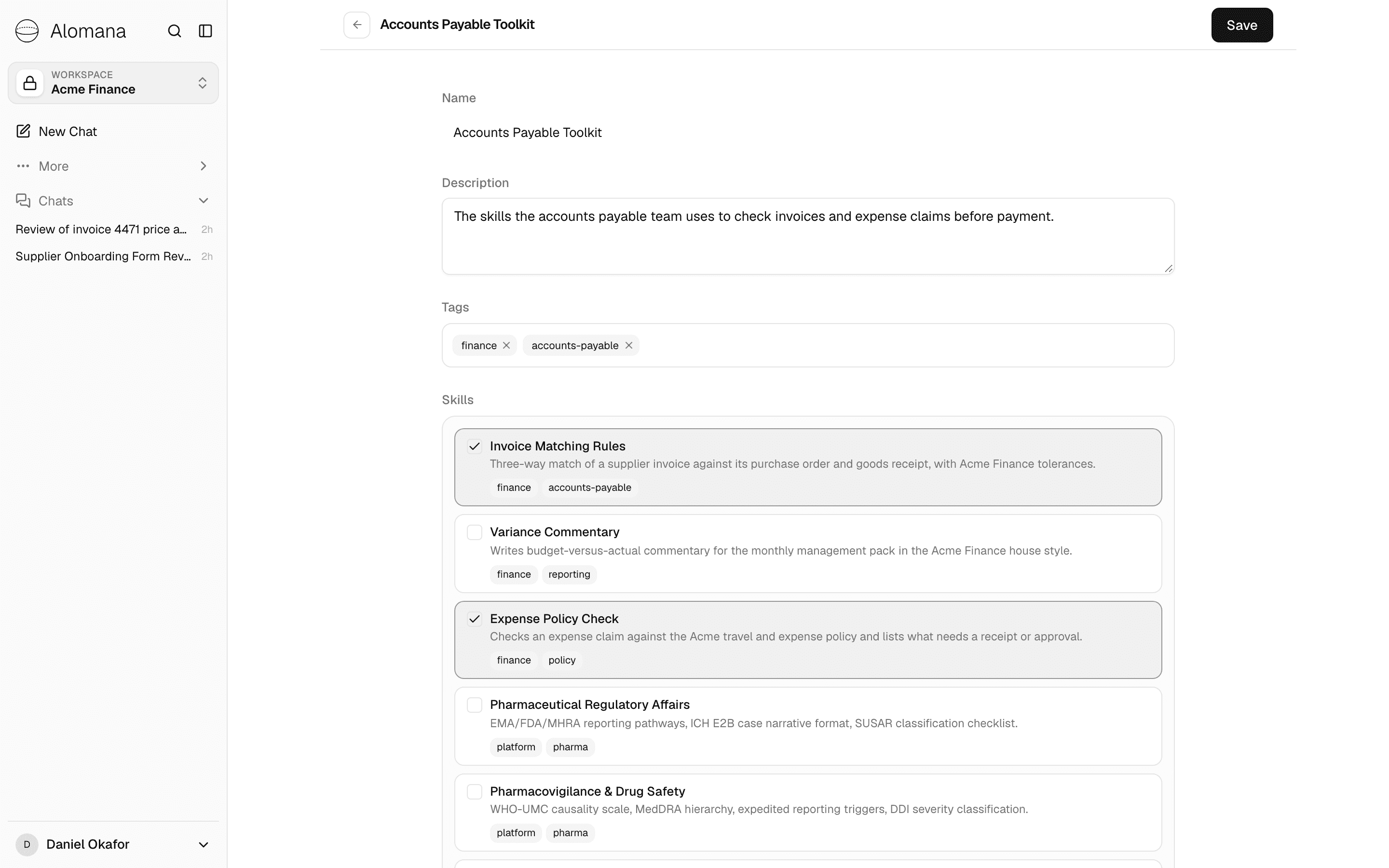
Fill in the fields and select the skills to include.
-
Select Create.
| Field | What to enter |
|---|---|
| Name | How the set appears in lists and in the agent editor. |
| Description | When agents should use this group of skills. |
| Tags | Labels to filter sets by. |
| Skills | Check every skill that belongs in the set: your workspace's and built-in ones. |
On the Library tab, each set shows as a group with its skills under it; skills in no set are under Individual skills.
Create a skill set from a ZIP
Select New skill set > Upload ZIP and choose a ZIP whose top-level folders each hold one skill with its SKILL.md. Every skill is imported, and a set named after the ZIP file is created around them. The ZIP rules are the same as for skills; see Create a skill.
Use a skill set
In the agent editor, open Skills, then the Skill Sets tab, and select the set. See Configure an agent.
Edit or delete a skill set
Select a set's name to edit it, then Save. To delete one, open the ⋮ menu at the end of its row and select Delete.
- Deleting a set removes the group, not the skills in it.
- Deleting a set takes it off every agent's draft; agents keep its skills in their published version until they are published again, and keep any skill also switched on for them on its own.
- A change to a set reaches each agent that uses it when that agent is next published.
Create a skill
Write a skill in the skill editor, import a SKILL.md file or upload a ZIP with scripts and reference files, then edit, download or delete it.
Install skills from the marketplace
Search the public skills.sh catalogue, preview a community skill and install it into your workspace or straight onto an agent.