

Create workspace API keys
A workspace API key lets a script or another system call Alomana in this workspace, with your access.
You need Manage Workspace Settings to open the page and Create API keys, which Editor and Admin have by default. Your plan must include API keys; otherwise Create API Key is greyed out with Available on paid plans — upgrade. Open Settings > API Keys under Workspace · "name".
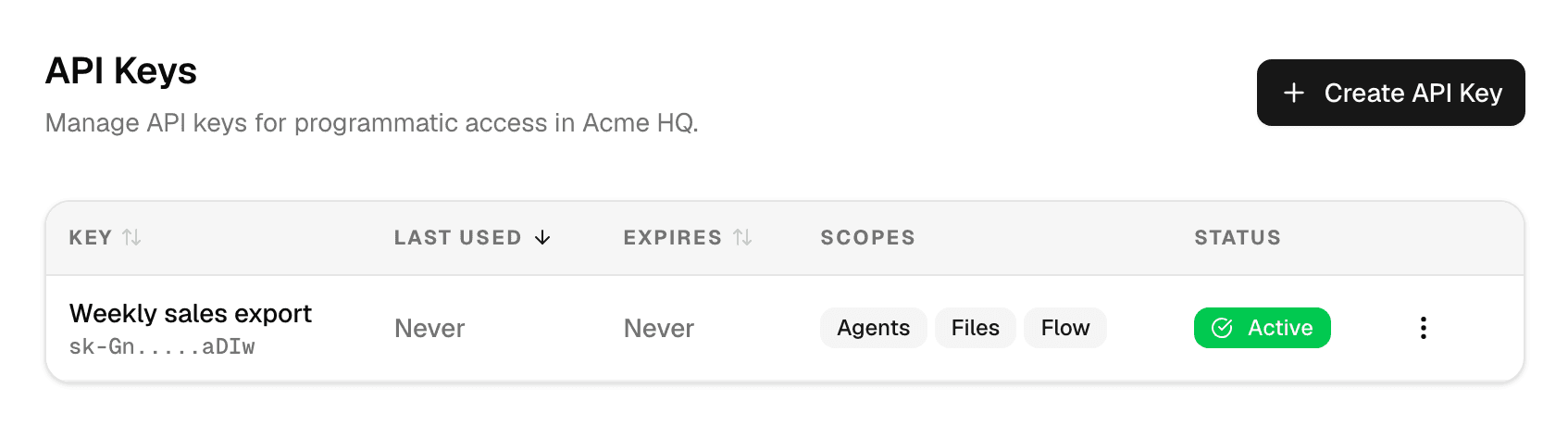
What a key can do
- A key acts as you, with your role in this workspace, and never has more rights than you.
- It works only in the workspace it was created in.
- It stops working when it is deleted or expires, when your account is disabled, or when you leave the workspace.
- The page lists only your own keys in this workspace; every member manages their own.
Create a key
-
Select Create API Key.
-
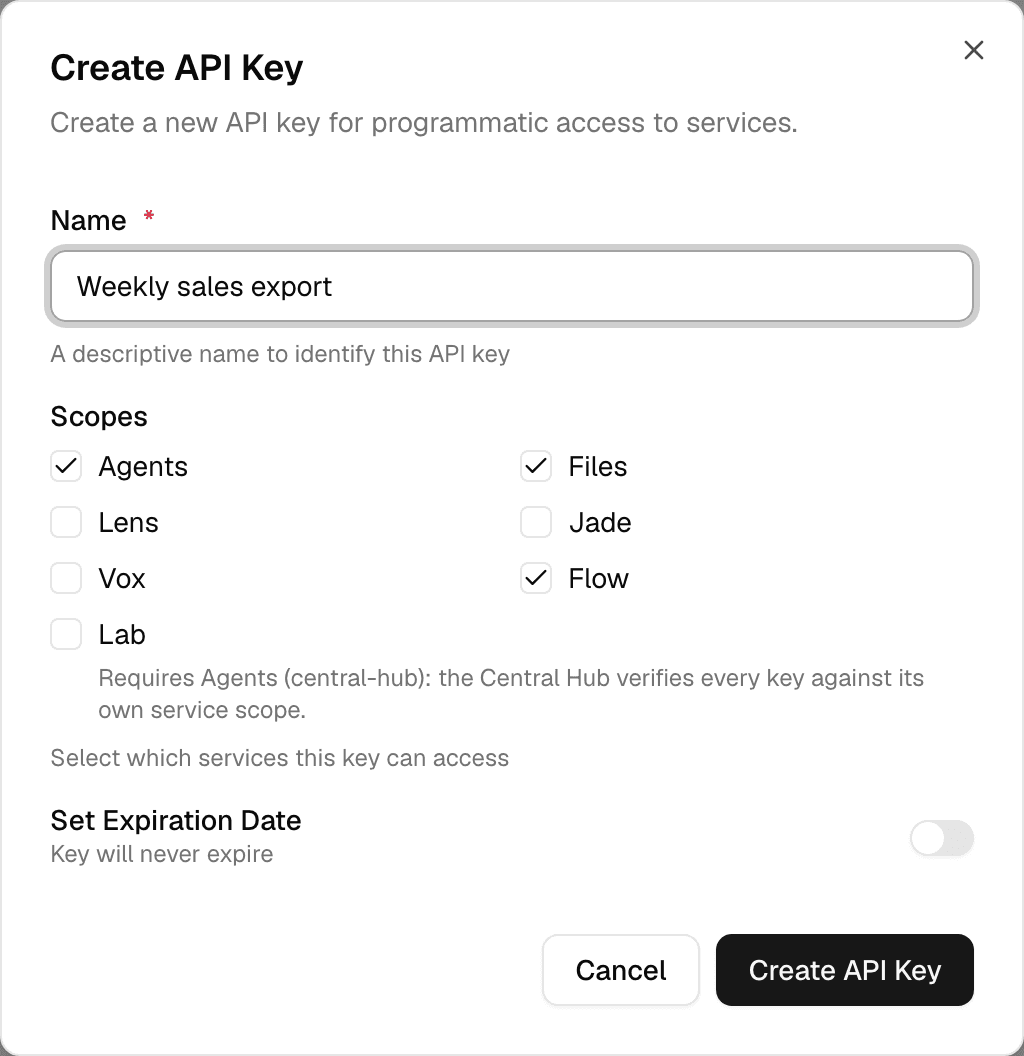
Enter a Name that says what the key is for, check the Scopes it needs and, optionally, turn on Set Expiration Date and pick a date.
-
Select Create API Key.
-
Copy the key in API Key Created with Copy & Close. It is shown only this once.
| Scope | Lets the key use |
|---|---|
| Agents | The Alomana API: agents, chats, connectors and workspace settings |
| Files | The Library's files and folders |
| Flow | Flows |
| Lab | Lab evaluations; works only together with Agents |
| Lens, Jade, Vox | The service agents of the same name |
New keys have Agents, Files and Flow checked. Without an expiration date a key never expires.
Regenerate, revoke or delete a key
Open the ⋮ menu at the end of the key's row.
| Action | What it does |
|---|---|
| Regenerate | Issues a new key value and shows it once; the old value stops working immediately. You can set a new expiration date. |
| Revoke | Stops the key from working. Its status becomes Inactive. |
| Delete | Removes the key. Requests with it stop working; its past usage stays in the usage records. Needs Delete API keys, which only Admin has by default. |
| Status | Meaning |
|---|---|
| Active | The key works. A key past the date under Expires stops working but still shows Active. |
| Inactive | It was revoked. |
To send a key with your requests, and for the full list of what a key can call, see Authentication and API keys in the API documentation.