

Read the deployment's usage
The Usage page shows the credits, documents and web searches used across your deployment, per person or per workspace.
You need to be a client admin. Open the search at the top of the sidebar, type Usage and select Usage under Admin, or select Usage in the Platform Admin sidebar of the Users page.
What a client admin sees
- Usage of every account and workspace on the deployment, not only the people on your Users page.
- Amounts in credits. Costs and the breakdown by service are for platform admins only.
- Your own plan and limits are on Usage and limits.
Filter the usage
Choose what to show with the filters at the top. The cards, the chart and the table all follow them.
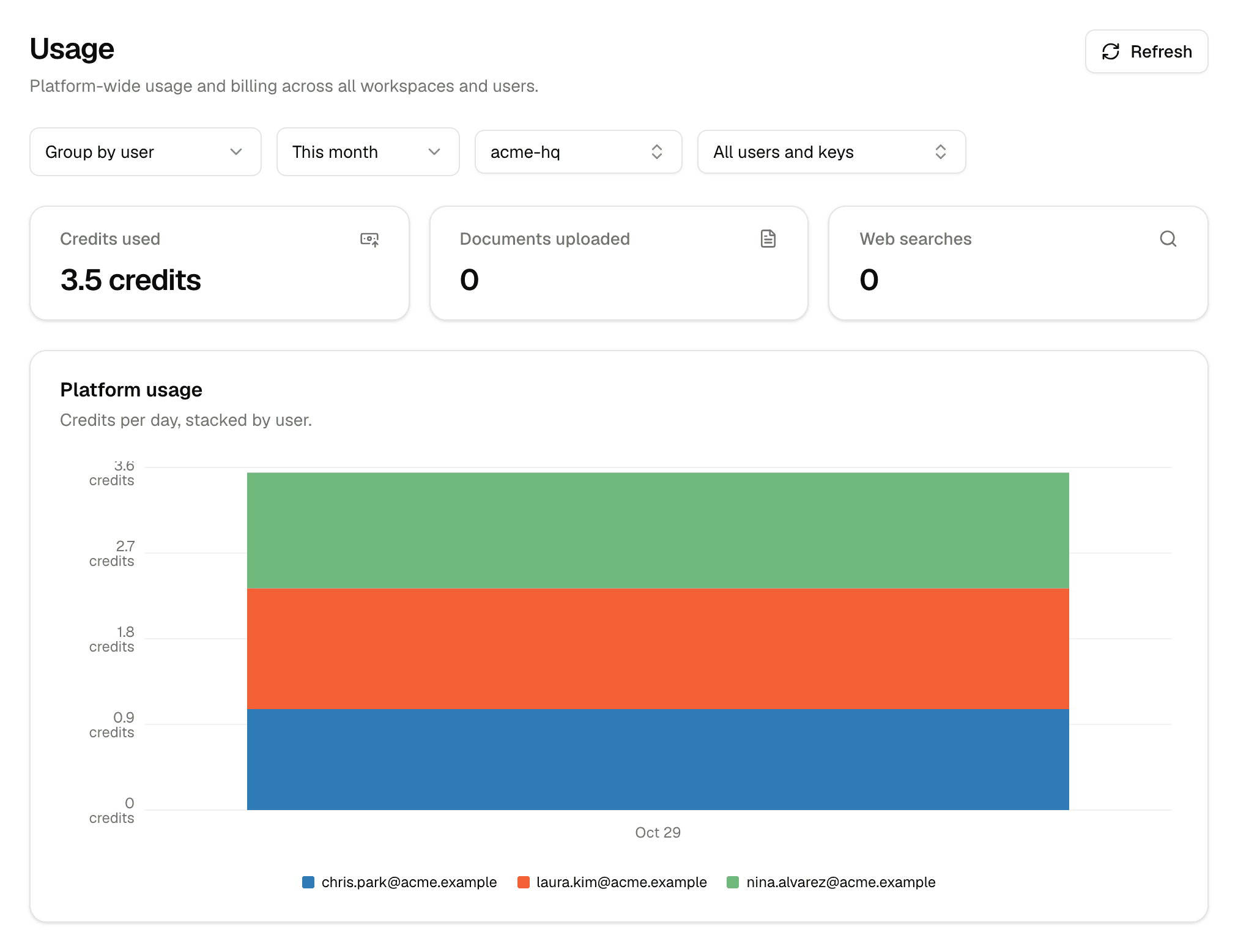
| Filter | Options |
|---|---|
| Group by | Group by user or Group by workspace: what the chart's colors stand for. |
| Date range | Today, Yesterday, Last 7 days, This month (the default), Last 30 days, Last 90 days or Custom range |
| Workspace | All workspaces, or one workspace. Type to search. |
| User or key | All users and keys, or one person |
Refresh loads the latest numbers.
| Card | Counts |
|---|---|
| Credits used | Credits spent in the period |
| Documents uploaded | Documents uploaded in the period |
| Web searches | Web searches agents ran in the period |
The Platform usage chart shows credits per hour for ranges up to two days, per day up to 31 days, and per month beyond that.
Usage per person
Cost by user, below the chart, has one row per person, sorted by credits.
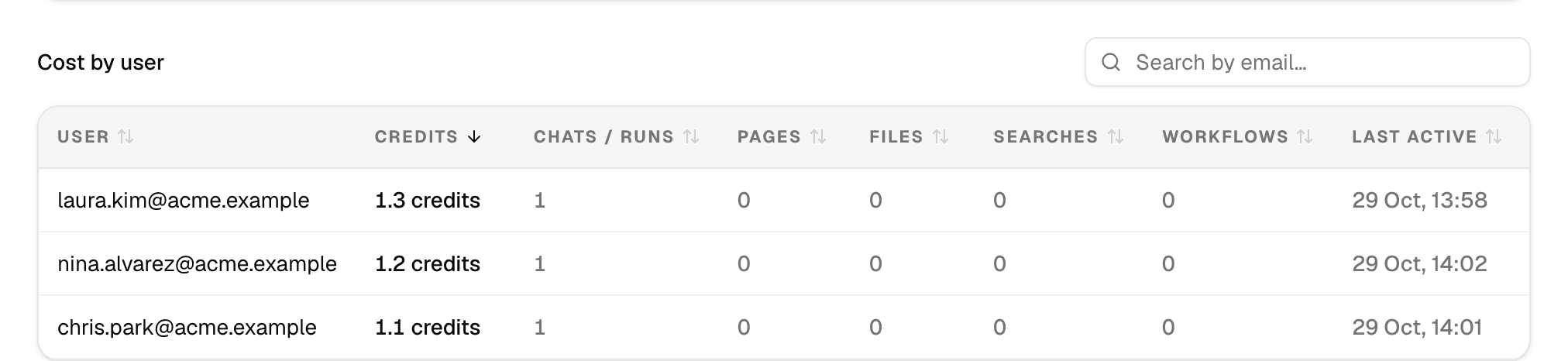
| Column | Shows |
|---|---|
| User | The person's email |
| Credits | Credits they used |
| Chats / runs | Chats and agent runs |
| Pages, Files | Pages and files they uploaded |
| Searches | Web searches their agents ran |
| Workflows | Flow runs |
| Last active | Their last recorded usage |
Type part of an email in Search by email… to find someone, or select a column header to sort by it. The table shows 20 people per page.
To read your own plan, credits and usage with an API key, see Plans and credits in the API documentation.