

Set workspace roles for an organization
The organization's Workspace roles page sets what each workspace role can do in every workspace of the organization.
You must be an organization Admin. Open Settings > Workspace roles under Organization · "name".
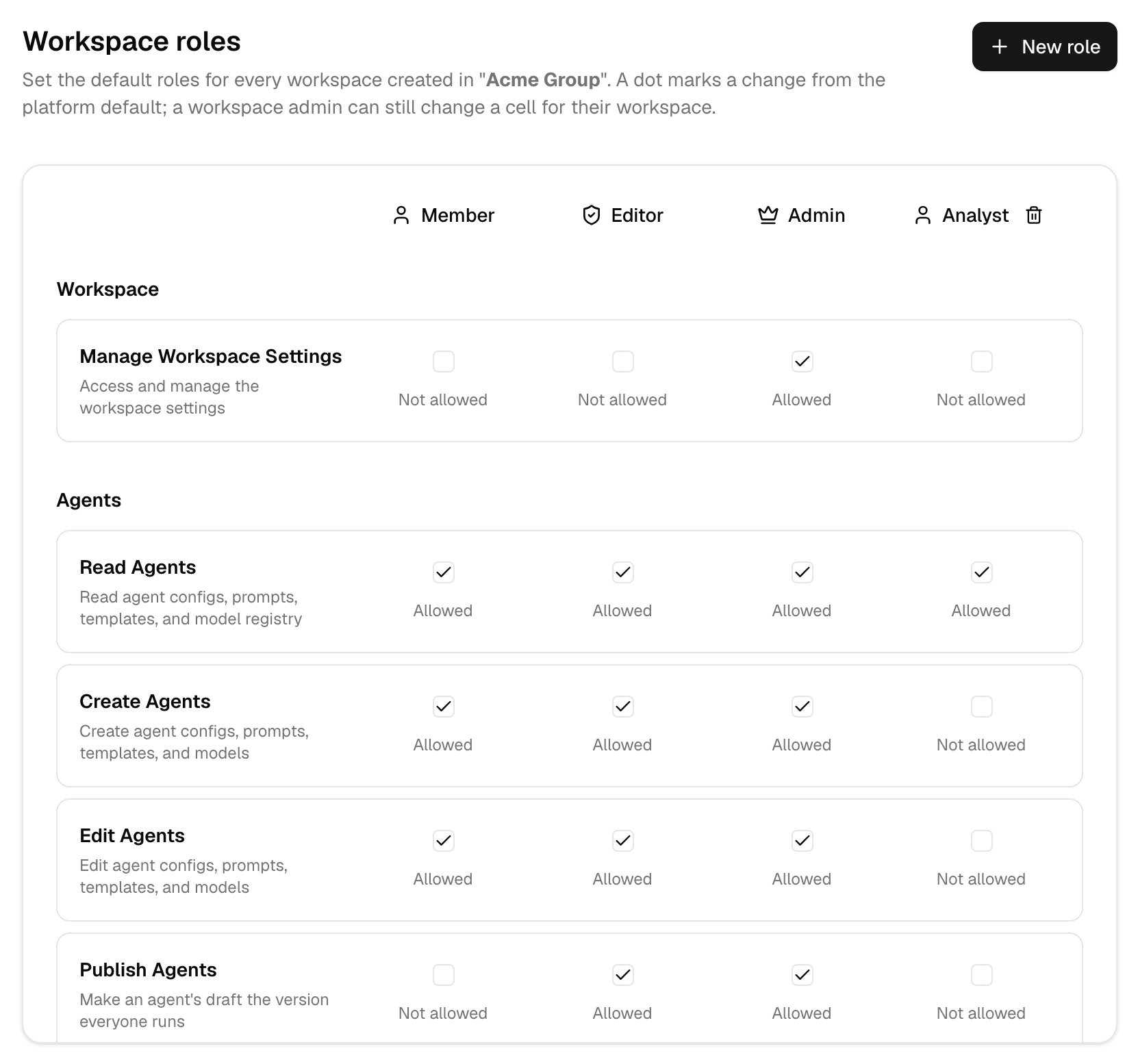
These are the roles people hold inside a workspace. The role someone holds in the organization itself is set on the Roles page; see Set organization roles.
How the defaults apply
| Level | Sets | Wins over |
|---|---|---|
| Platform defaults | Member, Editor and Admin everywhere | — |
| This page | Every workspace of the organization | Platform defaults |
| A workspace's Roles page | That workspace only | This page |
- A dot marks a cell you changed from the platform default.
- A change applies at once in every organization workspace, except where that workspace changed the same cell. See Set roles and permissions.
- Only the workspace permissions are listed here.
Change a role default
Check or clear the box for a permission and role. Select a cell with a dot again to return it to the platform default.
Create a custom role
-
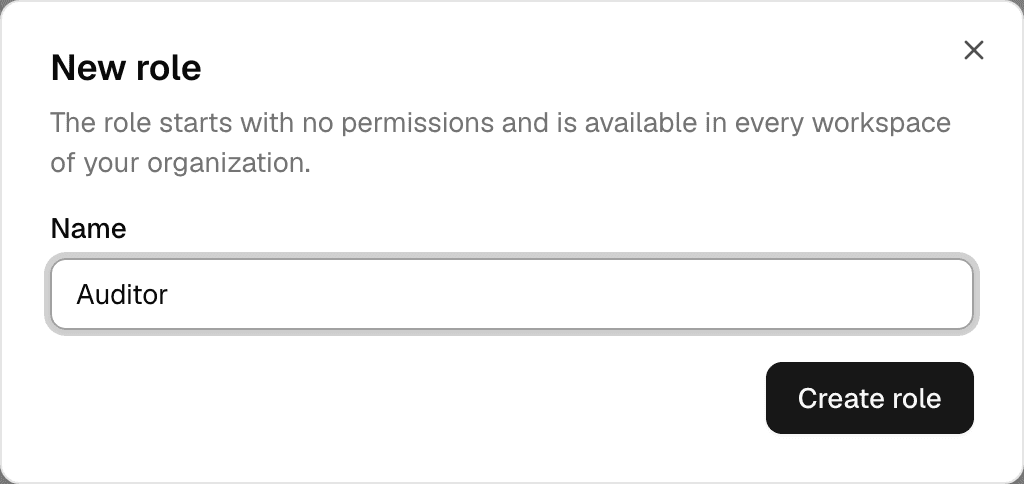
Select New role.
-
Enter a Name, up to 64 characters, and select Create role.
-
In the new role's column, check the permissions it should have.
- A new role starts with no permissions.
- It appears at once in every workspace of the organization: in the Roles matrix and in the role lists for members and invites.
- Its name cannot be changed later, and cannot be Member, Editor or Admin.
To delete a custom role, select the trash icon next to its name and confirm with Delete role. It is removed from every organization workspace. A role that a workspace member or pending invite still holds cannot be deleted: give them another role first.
Troubleshooting
| Message | What to do |
|---|---|
| A role with this name already exists | Pick another name. |
| n workspace members or invites still hold this role | Give those members another role, or revoke the invites, then delete the role. |
For every permission and its default per role, see the permission matrix in the API documentation.
Set organization roles
Create the roles people hold in an organization, choose the role new members join with, and limit how many workspaces each role may create.
Block models for an organization
Block a model in every workspace of an organization, and see what happens to agents and chats that used it.