

Chat
Choose a model
The model picker in the composer decides which model writes the next reply; each reply names the model that wrote it.
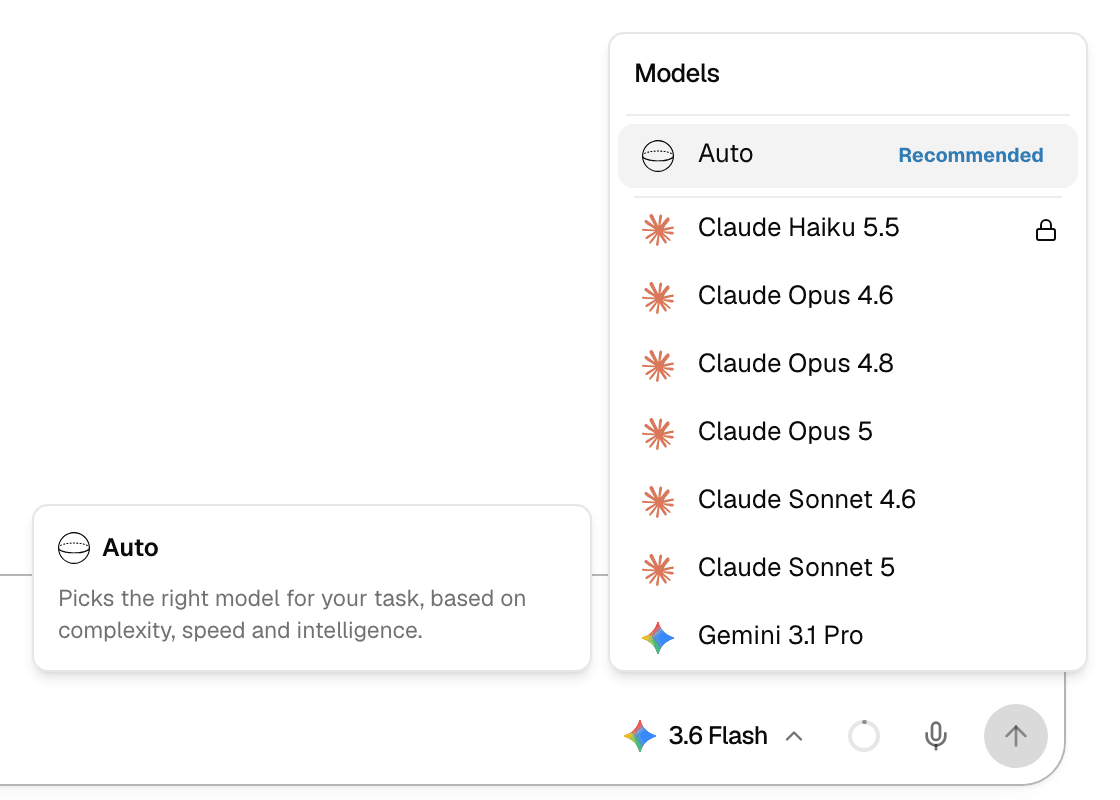
The model picker
- Select the model name next to the send button to open Models.
- Auto comes first, marked Recommended. The other models follow in alphabetical order, each with its provider's icon.
- Point at a model to read its description and, where available, its Intelligence and Speed ratings.
- The model you pick is used for your next messages until you change it; New Chat resets it. Choosing an agent switches to that agent's model.
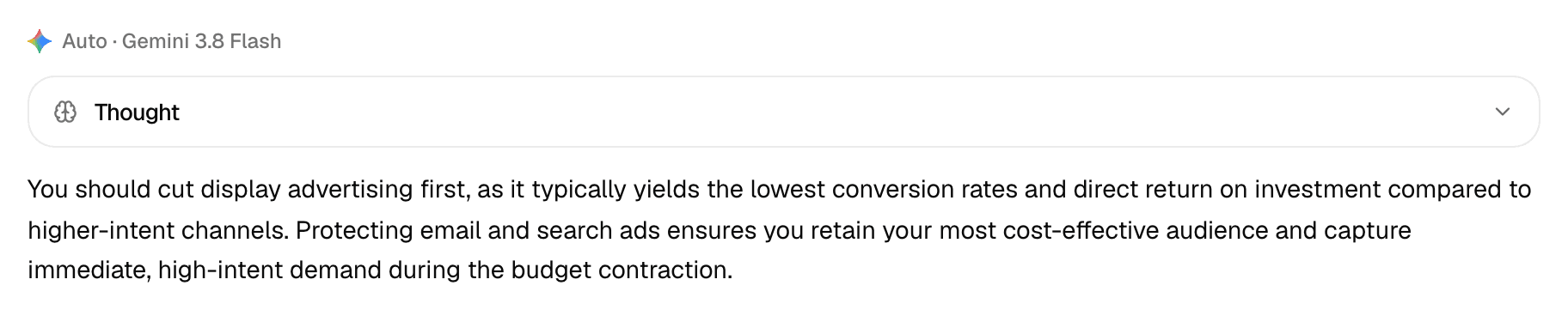
- The label above each reply shows which model wrote it.
Auto
Auto picks a model for every message you send, based on how demanding the request is.
| Rule | Detail |
|---|---|
| What it weighs | Each message is sorted into one of three levels: fast, balanced or reasoning. A model is then picked for that level. |
| Within a chat | The level only goes up. Once a chat needs a stronger model, later messages in it keep at least that level. |
| Which models | Only models your plan, your workspace and your organization allow. If no model fits the level, Auto takes the nearest lower level, then the nearest higher one. |
| Attachments | When you attach images or PDFs, Auto prefers a model that can look at them directly. |
| The label | Replies show Auto · and the model that answered. |
Auto is not offered when your workspace allows no model that Auto can route to.
Locked and missing models
| What you see | Why | What to do |
|---|---|---|
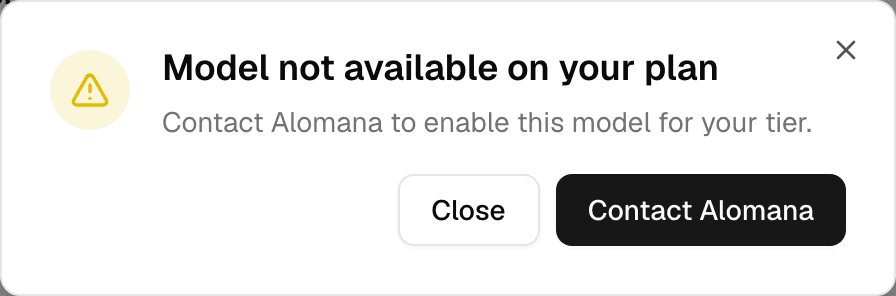
| A lock next to the model | Your plan does not include it. | Select it. See plans offers an upgrade; on a deployment without self-serve billing, or in an organization, the window offers Contact Alomana. |
| The model is not listed | Your workspace's model list leaves it out, or your organization blocks it. | Ask your workspace or organization admin. See Workspace models and Organization models. |
If the model you picked gets locked later, for example when your credits run out, the composer moves to a model you can still use. See Usage and limits.
An agent's own model
An agent can have its own model, set by whoever built it.
- Picking the agent in the composer also picks its model.
- If your plan does not include that model, the composer uses the deployment's default model. If that one is locked too, it uses the least expensive model you can use.
- If your organization blocks the agent's model, the agent runs on the default model instead, without a message. The label above the reply shows the model that actually ran.
- A model you pick yourself after choosing the agent overrides the agent's model for your messages.
To set an agent's model, see Configure an agent.