

Context and compaction
A model can only read so much at once, so when a chat grows long its earlier part is condensed into a summary and the chat carries on.
The context ring
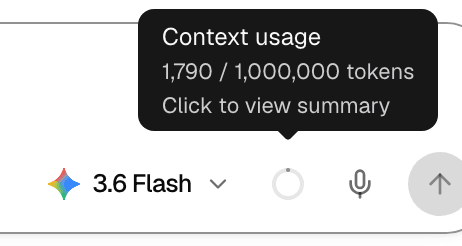
After the first reply, a small ring appears in the composer next to the model picker. It fills as the chat grows.
| Ring | Meaning |
|---|---|
| Grey, partly filled | How close the chat is to being compacted. A full ring means compaction is due. |
| Yellow | The chat is over the point where it gets compacted. |
Point at the ring to see Context usage and the tokens in use out of the model's full context window. Select it to open the summary.
The window size depends on the model; a platform admin sets it for each model, and a model added without one counts as 128,000 tokens.
When a chat is compacted
| Trigger | What happens |
|---|---|
| After a reply, the chat uses more than 80% of the model's context window | The chat so far is summarized. The notice Chat history compacted. appears, with the size the context was reduced from. |
| You send /compact | The same, right away. The /compact message itself is not kept. |
| One reply grows past that point while the agent works | Older tool results are shortened first. If that is not enough, earlier turns are folded into a summary and the notice Chat history summarized. appears. The reply continues. |
| A tool returns a very large result | The model gets only its start and end. The agent can still open the full result from a file in its sandbox. |
| The model refuses a request as too long | The reply ends with an error, and the chat is compacted so your next message fits. The notice reads Chat history compacted after context overflow. |
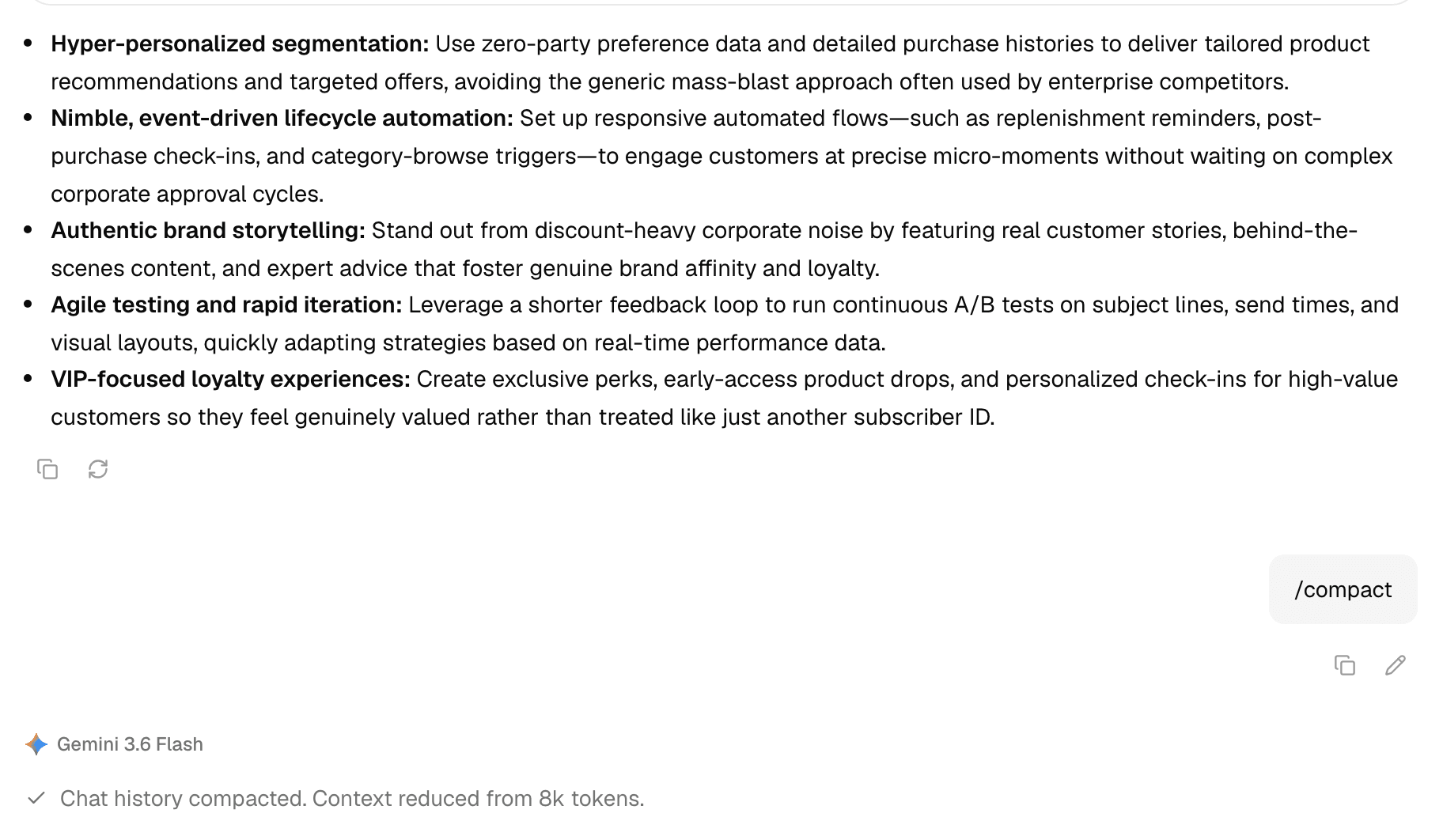
Compaction changes only what the model reads:
- You still see every message in the chat.
- From then on, the agent reads the summary and the messages that came after it.
- Details that did not make it into the summary are no longer in the agent's view. Repeat anything important, or attach the file again.
- The summary is written by the chat's own model.
Read the summary
Select the context ring. Compaction summary shows when the summary was last updated and what it holds, such as the context the agent carries forward, your original request and the files it worked on.
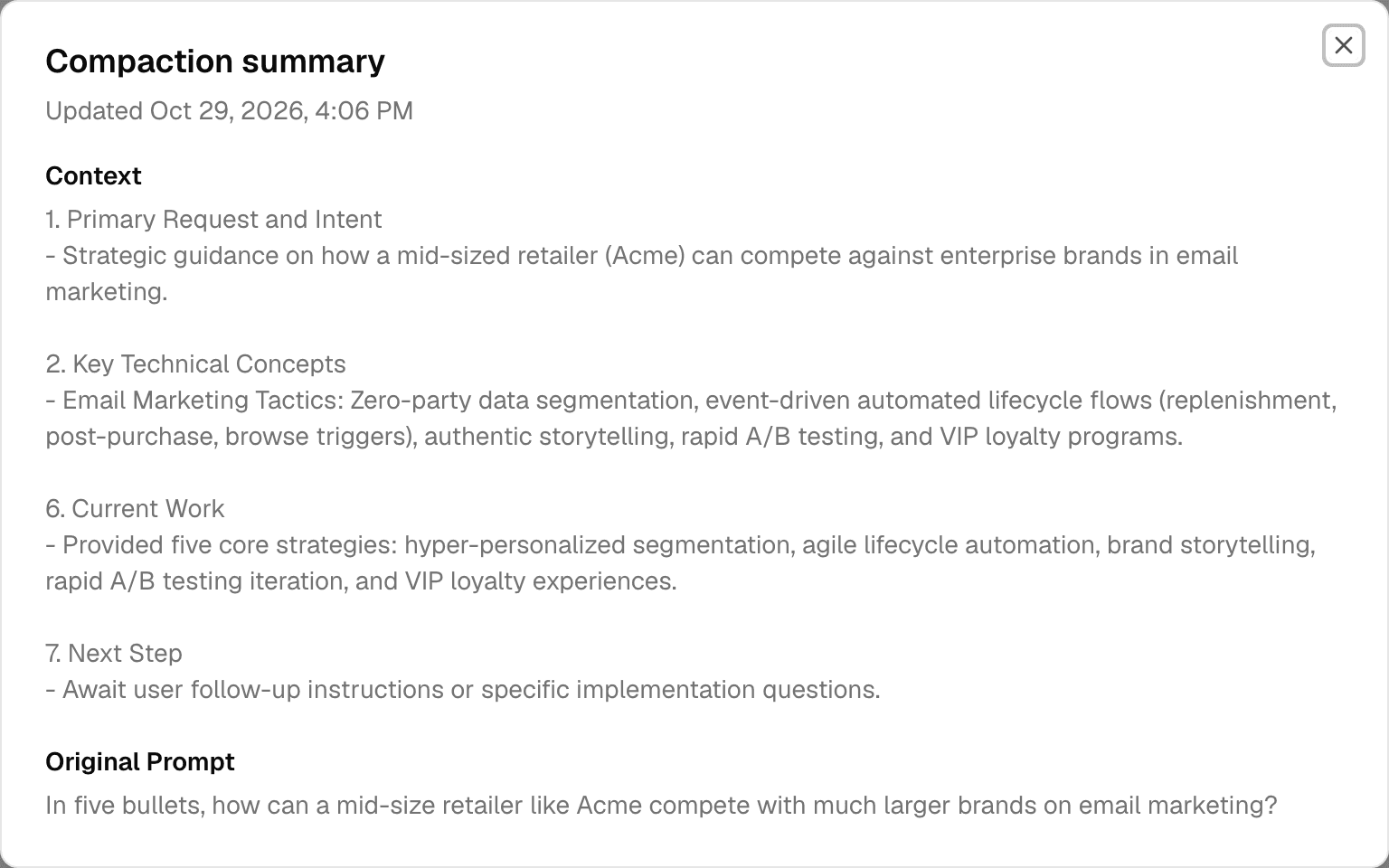
A chat that was never compacted shows No compacted summary yet.
Keep long work manageable
- Start a new chat for an unrelated task; the old chat keeps its history.
- Send /compact before a new phase of work in the same chat, so the agent starts it from a short summary.
- Put the files the agent should keep using in the Library and mention them with @, instead of pasting long text. See Mentions and commands.