

Apps
Copy an app to another workspace
A copy is a separate app in the other workspace, owned by you; the original stays where it is and keeps working.
You can copy an app you can open if you are a member of the workspace it was built in. The copy goes into any other workspace where your role has Create Agents (every built-in role has it).
Copy an app
-
In the workspace the app was built in, select Apps in the sidebar.
-
Point at the app's card and select Copy to workspace.
-
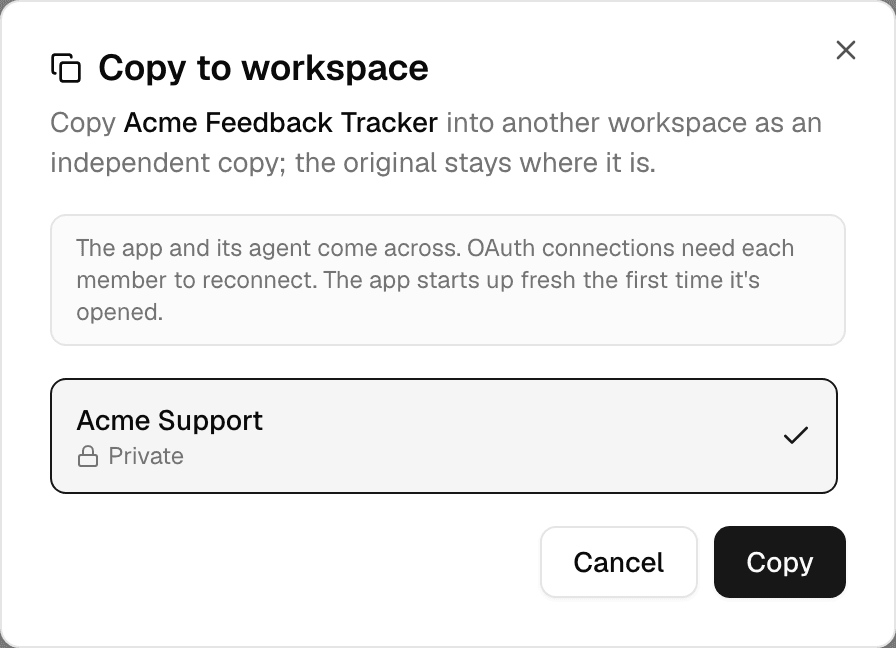
Select the workspace to copy into, then Copy.
-
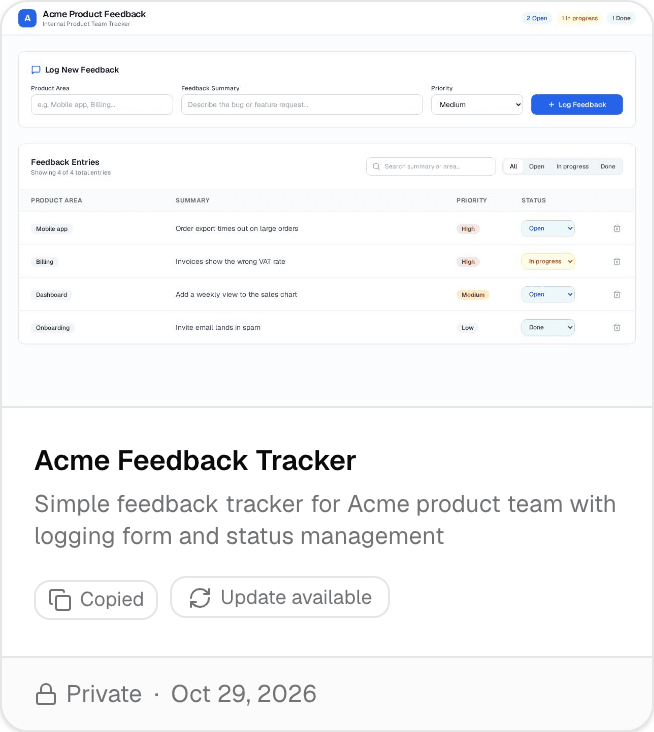
Switch to that workspace. The copy is on its Apps page, marked Copied.
- The copy starts the first time someone opens it, which can take a moment.
- Copying the same app into the same workspace again does not make a second copy: the message says the app is already there.
- Copy to workspace is missing on an app whose files have not been saved yet, and on an app with more than 100 MiB of files.
What the copy takes along
| Part | In the copy |
|---|---|
| The app's code and the files in it | Copied as the original last saved them. |
| The agent that builds the app | Copied as its published version, so you can change the copy by chatting. |
| Connections the app and its agent use | Copied. Connections that sign in each person separately need every member to connect again; the message after copying says how many. |
| The agent's knowledge files | Copied into the other workspace's Library. |
| Secrets | Copied, except the app's own Alomana key, which is replaced by a new one in your name. |
| Name | Unchanged. |
| Visibility | Space if the other workspace has other members, otherwise Private, whatever the original's. |
| Version | Starts again at v1. |
| Chat history | Not copied. The copy has a new, empty chat. |
| Data the app shows from connectors | Not copied. The copy loads it for each person who opens it. |
Update a copy from the original
When the original changes after you copied it, the copy's card shows Update available.
- Select Update available on the copy's card.
- The copy takes the original's latest code and files, and restarts the next time it is opened.
- Updating replaces the copy's code and files, including changes you made to the copy by chatting.
- Secrets, visibility, name, description and the copy's agent stay as they are.
- You need to be able to change the copy, and still be a member of the original's workspace.
- If the original was deleted, the message says there is nothing to update from.
For copying apps with an API key, see Hosted agent apps in the API documentation.