

Build an app
Describe the app you want to App Builder; it writes the app, starts it and opens it next to the chat with a link you can share.
Build an app
-
Select Apps in the sidebar, then New app.
-
Describe the app: who uses it, what they enter and what they see. Or select a starting point below the box, such as Internal request form or Team checklist, and edit the text it fills in.
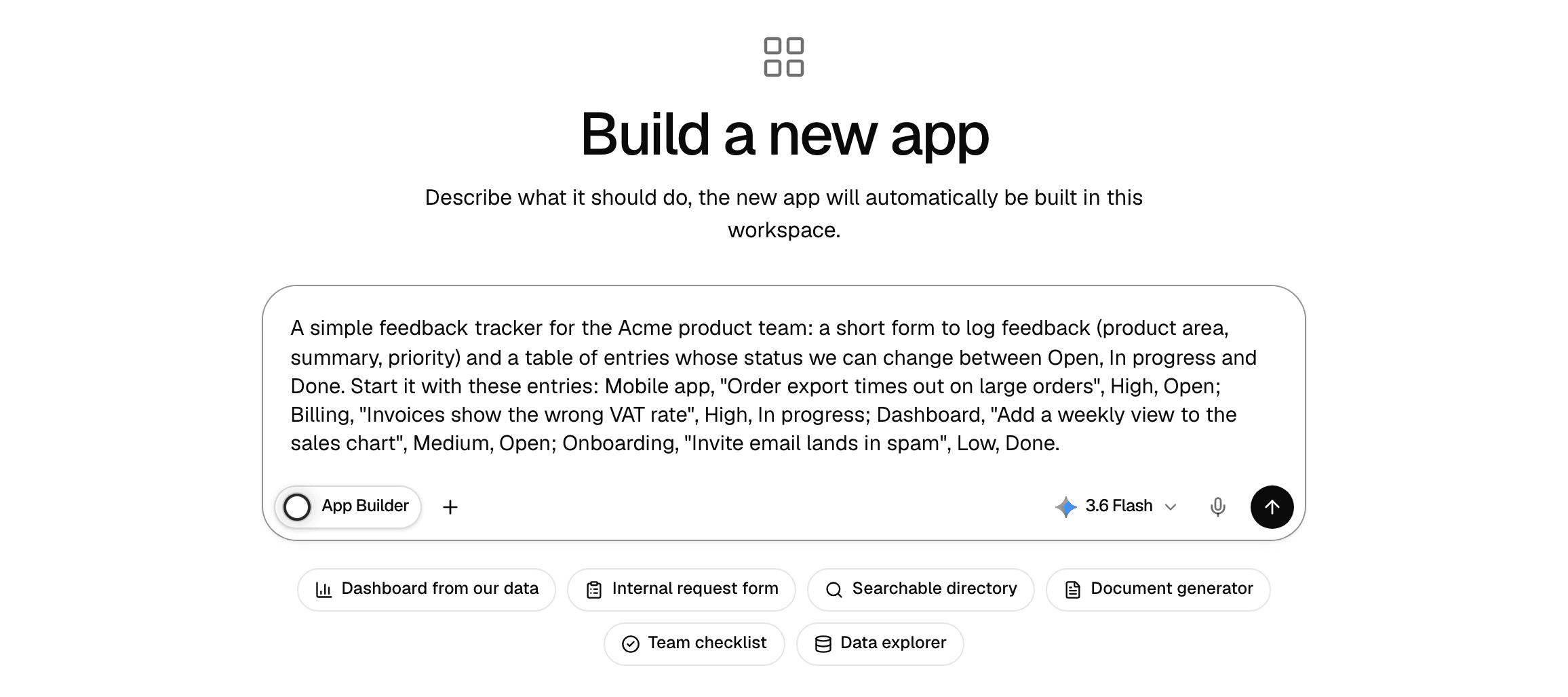
-
Press Enter to send. A chat with App Builder opens.
-
Wait while App Builder works. It posts a short line for each step, such as "Planning the app…" or "Deploying…", and may ask one question first if your request is unclear.
-
As soon as the app runs, it opens in a panel next to the chat, and App Builder replies with the app's link and a summary of what it built.
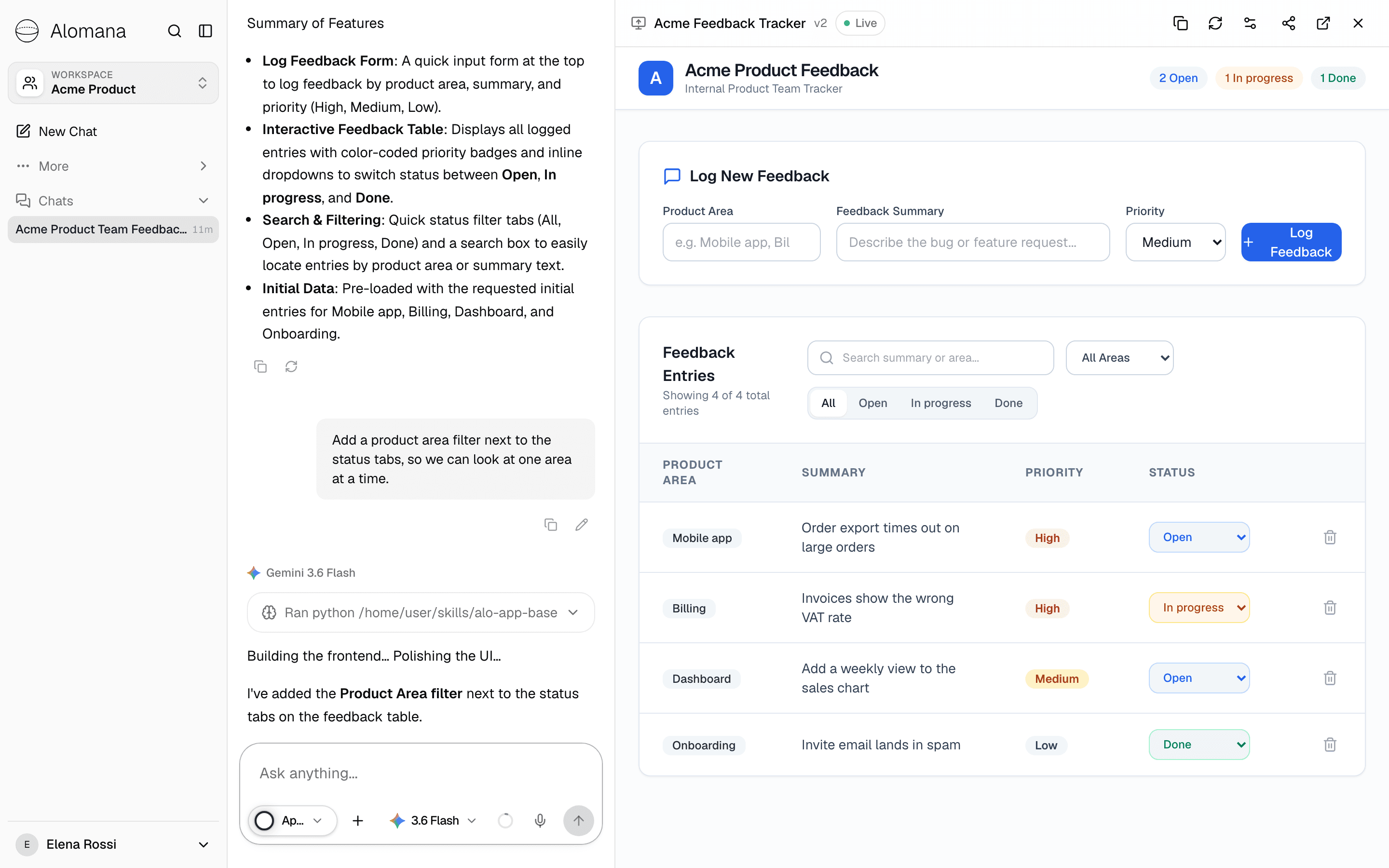
- App Builder builds what you ask for and nothing more. Ideas for extras come as suggestions at the end of its reply.
- A new app is Private: only you can open it until you share it. See Share an app.
- The app appears on the Apps page of the workspace you built it in.
- To build on a file, such as a price list, attach it to the chat. App Builder copies it into the app.
The app panel

| Control | What it does |
|---|---|
| v1, v2, … | The app's version. It goes up each time App Builder updates the app. |
| Live | The app is running. Checking while it starts, Offline when it cannot be reached. |
| Copy app link | Copies the app's link. |
| Reload | Reloads the app in the panel. |
| App config & secrets | Renames the app, sets who can open it and manages its secrets. |
| Share chat | Shares this chat. See Share a chat. |
| Open in new tab | Opens the app full size in a new tab. |
| Close preview | Hides the panel. Show preview at the top of the chat brings it back. |
Change the app
- Open the app's chat: select the app's card on Apps, or the chat in the sidebar.
- Ask for the change, for example "Add a product area filter next to the status tabs, so we can look at one area at a time."
- When App Builder finishes, the panel reloads and the version goes up. The app's link stays the same.
- One chat builds one app. For a different app, start again from New app.
- To start a fresh chat about the same app, point at its card on Apps and select Chats > New chat.
- For an app shared with the workspace, members whose role has Edit apps can change it from their own chat by selecting its card.
Give the app a secret
An app that calls another service, such as a mail or payments API, needs its key. Store it as a secret instead of writing it in the chat.
- Select App config & secrets in the app panel or on the app's card.
- Under Environment Secrets, select Add secret.
- Enter the name, the value and an optional description, then select Save.
The app reads the secret as an environment variable under that name. Saving or removing a secret restarts the running app so it picks up the change. The list already holds ALO_API_KEY, the key Alomana created for the app to reach your workspace; leave it in place. Only the owner can manage secrets, and for an app shared with the workspace also roles with Manage app secrets.
Build an app your team edits together
If your workspace has the Collaborative App Builder agent, choose it in a chat instead of App Builder. It builds an app with an editing bar inside the app itself:
- The bar shows who has the app open and switches between View and Edit.
- In Edit, select a part of the app, describe the change and select Send edit. The change appears for everyone who has the app open.
- A change that breaks the app is undone, and the app stays as it was.
- History lists only your own edits; other people's requests stay private to them.
- For people who cannot change the app, Edit and History are unavailable.
Troubleshooting
| Shown | What to do |
|---|---|
| Starting up… | The app is not running yet. Wait while App Builder builds it, or while a copy starts for the first time. |
| Preview unavailable | The app could not be reached. Select Retry to restart it; this can take a minute. |
| Can't display preview | The app's address did not return a web page, often because it is still building. Select Retry or Open in new tab. |
| App Builder is unavailable. Refresh the list and try again. | Select Retry. If it stays, ask your administrator. |
To see how an agent registers an app from code, see Hosted agent apps in the API documentation.