

Apps
Apps
An app is a small web app that an agent builds and runs for you, such as a feedback tracker, a request form or a dashboard. Apps in the sidebar lists the apps you can open.
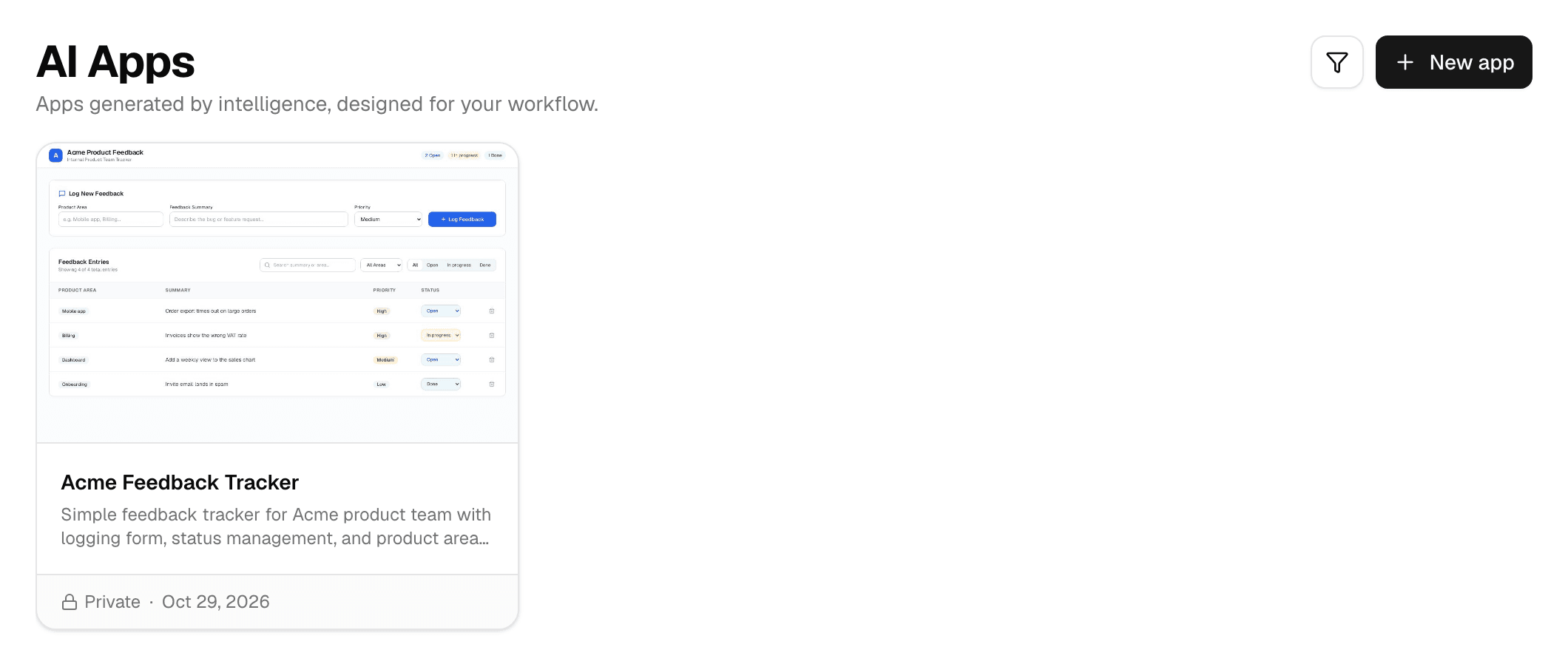
- Select New app to describe a new app to App Builder. See Build an app.
- Each card shows a picture of the app taken at its last update, its description, its visibility and when it last changed.
- The filter button next to New app narrows the list by Visibility.
Which apps are listed
AI Apps lists every app you can open from the workspace you are in:
- Your own apps built in this workspace.
- Apps other members shared with this workspace.
- Private apps whose chat the owner invited you to with Collaborate.
- Apps opened to everyone on the deployment or to anyone with the link, whichever workspace they were built in.
A card can carry a badge:
| Badge | Meaning |
|---|---|
| Shared | Someone else built the app. |
| Other workspace | Your app, built in another workspace. Switch to that workspace to open its chat. |
| Copied | A copy of an app from another workspace. See Copy an app to another workspace. |
| Update available | The original of this copy changed since it was copied or last updated. |
Open an app
Select its card:
- If you can change the app, its chat opens with the app running beside it.
- Otherwise the app opens in a new tab.
You can also open an app from its link. Who can open it depends on its visibility; see Share an app.
An app that has not been used for a while is paused. Opening it starts it again, which can take a moment.
Card actions
Point at a card to show its buttons. You see only the ones you are allowed to use.
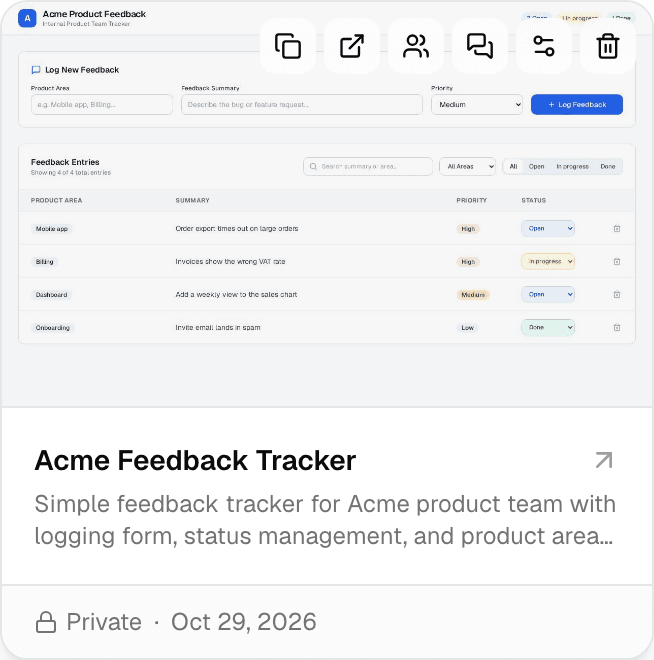
| Button | What it does | Who sees it |
|---|---|---|
| Copy to workspace | Copies the app into another workspace you belong to. | Anyone who can open the app |
| Open in new tab | Opens the app in a new tab. | Anyone who can open the app |
| Collaborate | Invites people to the app's chat so they can change it with you. | The owner |
| Chats | Lists your chats about the app; New chat starts another one. | The owner, and roles with Edit apps |
| App config & secrets | Renames the app, sets its visibility and manages its secrets. | The owner, and roles with Edit apps or Manage app secrets |
| Delete app | Stops the app and deletes its data after you confirm. This cannot be undone. | The owner |
Who can change an app
| Action | Who |
|---|---|
| Change it by chatting | The owner, and people the owner invited with Collaborate. For an app shared with the workspace, also roles with Edit apps (by default Editor and Admin). |
| Rename it | The owner. For an app shared with the workspace, also roles with Edit apps. |
| Add and remove secrets | The owner. For an app shared with the workspace, also roles with Manage app secrets (by default Admin). |
| Change visibility, invite collaborators, delete | The owner only. |
Workspace admins can change these role permissions; see Roles and permissions.
Pages in this section
- Build an app: describe an app to App Builder, try it, and change it later by chatting.
- Share an app: choose who can open it, share its link, and what people see when an app shows connector data.
- Copy an app to another workspace: what a copy takes along and how to update it from the original.
To manage apps with an API key, see Hosted agent apps in the API documentation.