

Get started
The Overview page
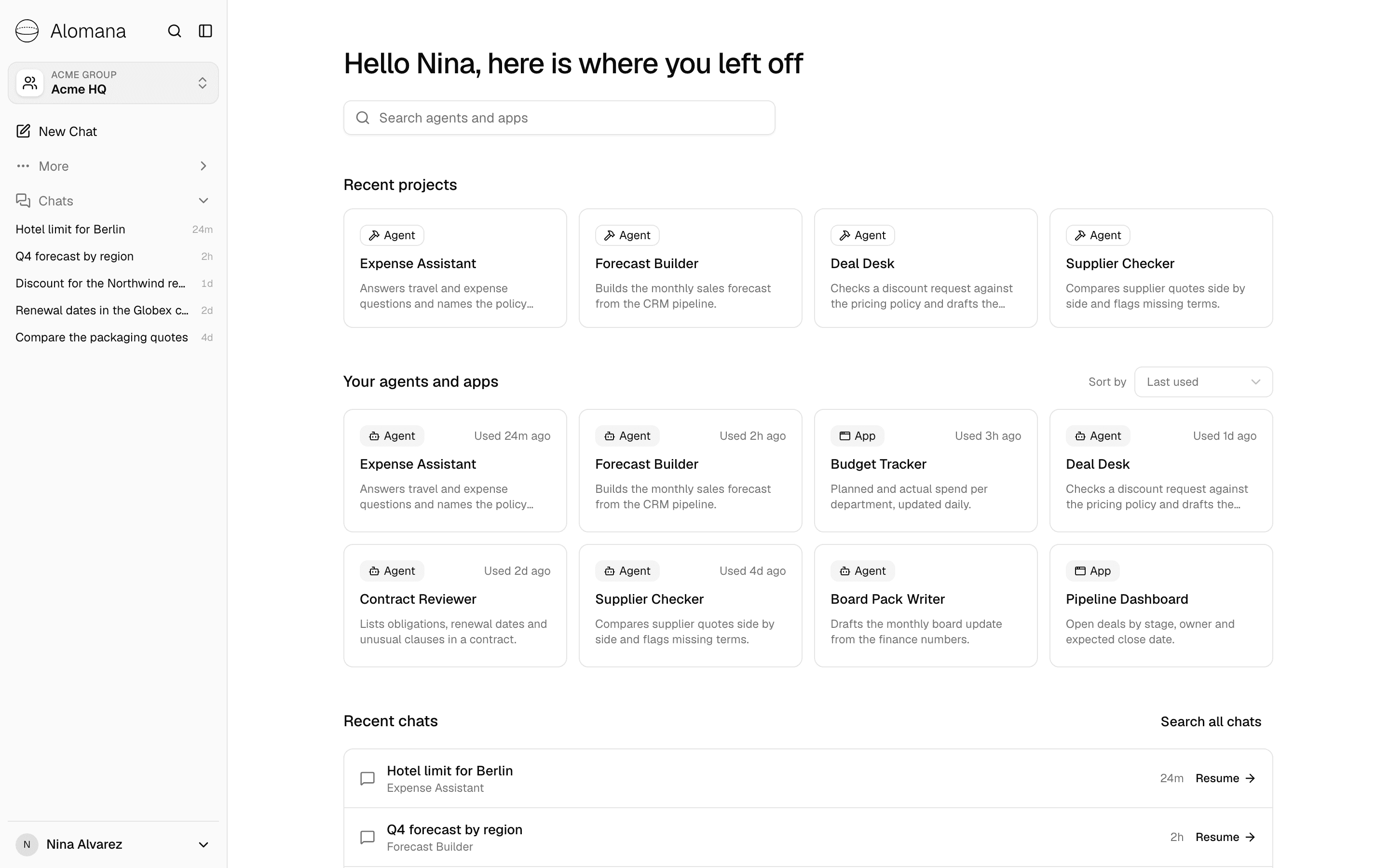
The Overview shows the agents and apps you can use in the open workspace, starting with the ones you used last, and your latest chats.
Alomana opens on the Overview only if your organization chose it for your role. Everyone else opens on a new chat, as described in Get started.
Who opens on the Overview
Your organization admin chooses the start page per role. See Choose where people land.
- The choice is made for the workspace you have open, so you can open on the Overview in one workspace and on chat in another.
- Workspaces outside your organization, and accounts without an organization, always open on chat.
- The Overview shows only what you could already open elsewhere in Alomana. It does not give you access to anything.
What is on it
| Section | What it shows |
|---|---|
| Search agents and apps | Narrows Your agents and apps by name or description. |
| Recent projects | The workspace's own published agents and the apps you can build, most recently changed first; four at most. Shown only if your role can create agents. Opening an agent opens its editor; opening an app opens the chat that builds it. |
| Your agents and apps | The agents published in this workspace and the apps you can open. Used 2h ago shows when you last used each one. Sort by switches between Last used and Name. Eight are shown; Show all shows the rest. |
| Recent chats | Your five latest chats in this workspace. Resume opens one. Search all chats opens search. |
An agent counts as used when you chat with it in this workspace; an app counts as used when you open it.
Use an agent or an app
- Select an agent: a new chat opens with that agent selected.
- Select an app: it opens in a new tab and moves to the front of the list.
Get back to the Overview
- Select the Alomana logo at the top of the sidebar.
- New Chat still opens an empty chat. Reloading the page keeps you in that chat.